AI-Powered Same-Day Company Retreat Video Editing: Fast Highlight Reels for Corporate Events

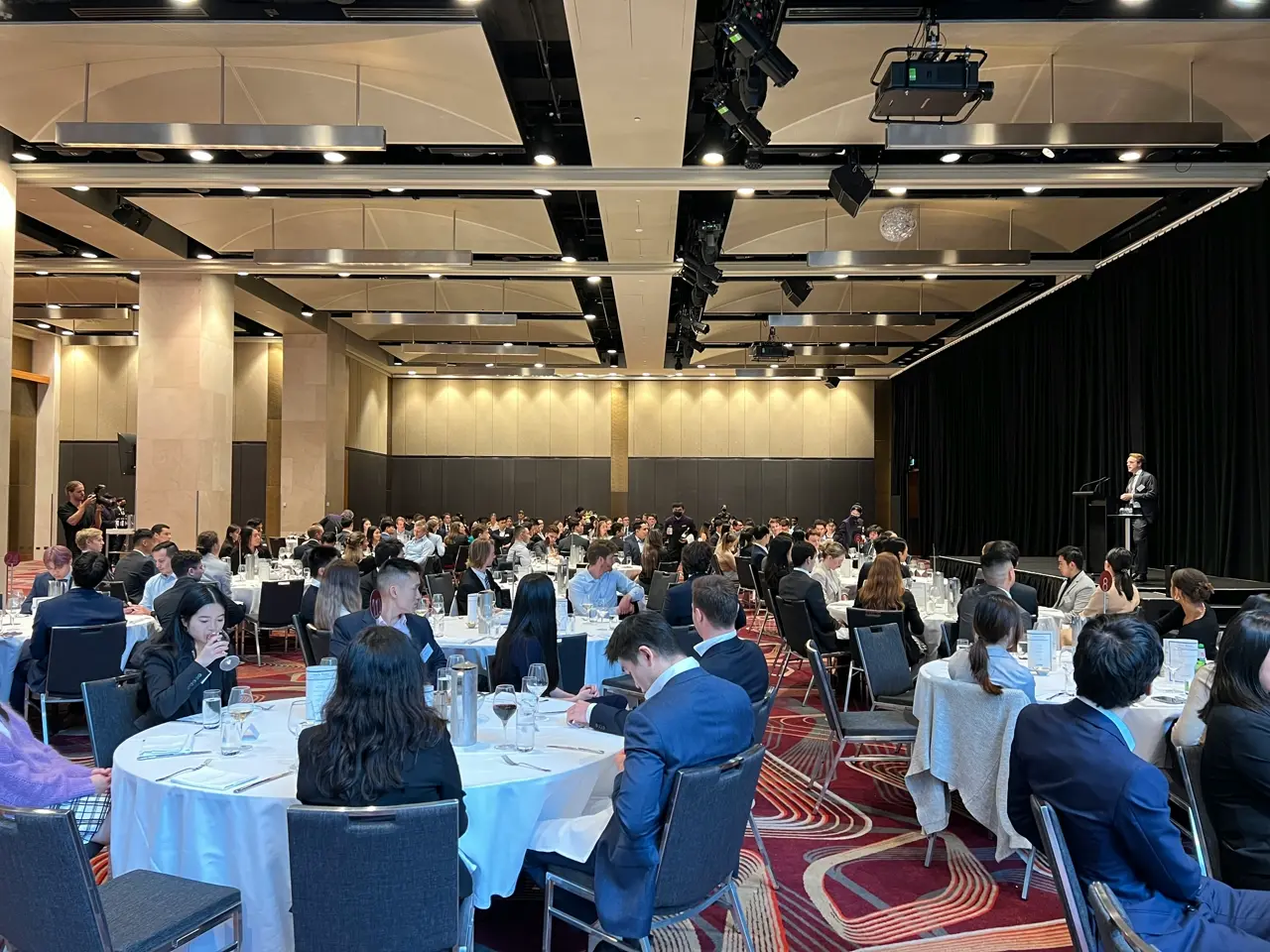
Event planners, HR professionals, internal communications teams, and videographers all recognize the power of capturing a company retreat’s best moments on video. Company retreat video editing has traditionally been a time-consuming process, often taking days or weeks to deliver a polished recap. But today, AI technology is revolutionizing this workflow. With AI-powered same-day corporate video edits, businesses can transform hours of retreat footage into an engaging highlight reel on the same day or by the next day, while the excitement is still fresh. This article explores the benefits of rapid-turnaround highlight videos, how AI editing tools (like VibeEdit) automate the process, tips for filming retreats with AI in mind, a comparison of traditional vs. AI editing workflows, and the top tools for creating automated company retreat highlights.
The Benefits of Same-Day Retreat Highlight Videos
Delivering a retreat highlight reel within hours or a day offers several key benefits for organizations:
- Boosting Team Morale and Engagement: Sharing a polished recap video with employees right after the event keeps the post-retreat energy alive. The immediate nostalgia and recognition of seeing themselves and colleagues in the video fosters a sense of inclusion. Even those who couldn’t attend feel involved because “sharing a polished recap video or photo highlight via internal communications helps build morale, keep teams informed, and celebrate collective wins” [1]. Quick video turnarounds ensure no one feels left out and that the whole team can relive the retreat’s high points together.
- Strengthening Employer Branding: Fast highlight reels aren’t just for internal consumption – they can be a powerful recruiting and branding tool. A same-day edit can be shared on LinkedIn or during next-day follow-up meetings to showcase company culture. Photos and videos that capture team chemistry, energy, and engagement give job candidates and external audiences an authentic glimpse of your organization’s culture [2]. In other words, a AI highlight reel corporate events video of your retreat demonstrates a vibrant workplace, boosting employer branding and impressing potential hires. Plus, timely sharing of event content on social media can amplify your brand’s visibility while the event buzz is at its peak.
- Maximizing Event Impact: In today’s fast-moving corporate environment, speed matters. A highlight video delivered during or immediately after the retreat can ride the wave of excitement. Quick edits “support event buzz, enabling live social media sharing and rapid promotional efforts” [3]. This means your company can start reaping the benefits of the retreat (in terms of visibility and engagement) right away, rather than weeks later when interest has faded. Immediate videos help extend the life of the retreat, turning a one-off gathering into ongoing content that can be repurposed for newsletters, blogs, or year-end showcases. In short, same-day videos ensure your retreat has a lasting impact beyond the event itself.
How AI Tools Accelerate Video Editing for Corporate Events
AI video editing tools can analyze raw footage, select key scenes, and even sync transitions to music beats automatically, saving editors countless hours [4][5].
Advancements in AI have introduced intelligent video editing assistants that drastically speed up the post-production process. Here’s how AI-powered video editing transforms raw retreat footage into a slick highlight reel in record time:
- Automated Scene Selection and Trimming: Instead of manually watching hours of footage to find the best moments, AI algorithms identify the highlights for you. For example, AI editors can analyze your videos and streamline the process by detecting applause, laughter, smiles, fast action, or other cues that indicate a compelling moment. They “automatically analyze raw footage by identifying engaging moments and cutting out the rest,” essentially removing dead air and boring parts [6]. The result is a rough cut of only the most exciting scenes – whether it’s a team triumph in a workshop or a candid funny moment during a break. This automated company retreat highlights extraction condenses what might be hours of video into just the meaningful clips.
- Intelligent Music Syncing and Cuts: Choosing the right music and syncing cuts to the beat is a hallmark of a great highlight reel. AI tools excel at this by analyzing both the visual content and the audio tracks. They can auto-select background music and align transitions to music tempo, creating an upbeat, emotionally resonant montage without manual effort. AI systems “analyze visual scenes—motion, pacing, cuts—and audio features such as tempo and beat” to suggest or apply perfectly timed sync points[4]. In practice, this means when the beat drops in the song, the AI might cut to a shot of the crowd cheering or the team high-fiving, producing a goosebumps-inducing effect. The tedious task of matching footage to music is handled in seconds, ensuring your highlight video feels dynamic and polished.
- Automatic Transitions and Effects: Smooth transitions, such as fades or jump cuts at just the right moment, are critical for a professional feel. AI editing platforms handle these technical flourishes automatically. They add dynamic scene transitions and even apply simple effects where appropriate to keep the video flowing. In many cases, the AI “handles the editing, pacing, and music” for you [7]. For example, if one clip ends with a team clapping and the next begins with a wide shot of the venue, the AI might insert a tasteful crossfade or a swipe that matches the retreat’s energetic tone. All of this happens with minimal human intervention, yet can be fine-tuned after if needed.
- Branding Overlays and Templates: Corporate videos often require branded elements – your company logo, event title slides, lower-thirds naming speakers, or color schemes matching your brand. AI tools can incorporate these automatically through templates and preset overlays. A platform like Mootion offers “features like automated scene selection, branding overlays, and social media-ready formats” [8]. This means as soon as the footage is processed, your highlight reel can come out already stamped with your brand’s identity – for example, opening with the retreat name and company logo, or ending with a call-to-action slide. Consistent fonts, colors, and watermarks can be applied in one click. By automating the branding aspect, AI ensures that even a rapidly produced video maintains a polished, on-brand look.
- Speed and Efficiency: Perhaps the biggest draw of AI editing is sheer speed. What might take a human editor an entire day can often be done in minutes by AI. Consider that AI might automatically trim a 30-minute clip down to a tight 5-minute highlights reel; “without AI, this task could take hours” of manual work [9]. The efficiency also allows for near-instant iteration – if you want to try a different music track or include additional footage, the AI can re-cut quickly. This agility is perfect for same-day edits when you’re racing the clock. The same-day corporate video edit workflow is made possible largely thanks to AI’s ability to crunch through footage far faster than any individual editor.
It’s important to note that while AI automates the heavy lifting (scene selection, cutting, syncing, etc.), there is still room for human creativity. The editor or videographer can review the AI-generated cut and make tweaks to ensure the story flows logically and the emotion is just right. AI provides the first draft extremely fast, and the human polishes it – a hybrid approach that yields speed without sacrificing quality.
Traditional vs. AI-Powered Editing Workflows
How exactly does an AI-driven editing process differ from the traditional approach? The contrast is stark:
- Timeline and Speed: In a traditional editing workflow, a videographer might spend many hours after a retreat combing through footage, selecting clips, trimming them, arranging them in sequence, finding music, aligning transitions, and adding titles. This process often means a highlight video isn’t ready for days. With AI-powered editing, much of this process is compressed into a short timeframe. AI tools can produce a rough cut in minutes, allowing final edits to be done within the same day. To put it plainly, “tasks that may take a human editor all day can be done by AI in minutes” [9]. This speed is a game-changer when turnaround time is critical.
- Labor and Skill Requirements: Traditional editing demands a skilled professional familiar with complex software like Adobe Premiere Pro or Final Cut Pro. There’s a learning curve and a need for creative decision-making at every step. AI-powered tools, on the other hand, lower the barrier. Many are designed with user-friendly interfaces or even natural language commands to make editing accessible. A person with minimal editing experience can leverage AI to get a high-quality result [10][11]. This doesn’t diminish the role of professional editors – rather, it frees them from tedious tasks so they can focus on creative storytelling and fine-tuning. For corporate communications teams or HR who might not have a dedicated video expert, AI opens the door to create videos quickly without extensive training.
- Editing Precision and Control: With manual editing, you have total creative control – every cut, effect, and sequence is exactly as you design it, but it takes time. AI editing provides a fast first draft based on patterns and best practices. The downside is less granular control over each decision the AI makes. The AI might not yet match the nuance of a human editor’s storytelling sense [12]. However, many tools allow you to guide the AI with prompts (e.g., “focus on team bonding activities” or “use upbeat music”) and you can always adjust the output after. In practice, a hybrid workflow is emerging: editors let the AI handle repetitive groundwork – like syncing and rough cuts – and then they step in for the final touches that inject human creativity and context. This approach provides the best of both worlds: speed plus quality.
- Collaboration and Workflow: Traditional event editing often involves shuttling large video files around, maybe a team in a mobile editing bay working throughout the event. AI tools, especially cloud-based ones, enable a more streamlined workflow. Footage can be uploaded on-site to the cloud; the AI processes it while perhaps the event is still ongoing, and a draft highlight reel can be reviewed by stakeholders (even remotely) for near real-time feedback. This agile, collaborative process contrasts with the old method of one editor working in isolation post-event. The AI-assisted workflow encourages quick iteration and collaboration – for example, an internal comms manager can quickly suggest replacing a clip or adding a title, and the editor can implement it in minutes with AI’s help, rather than hours.
In summary, traditional editing is meticulous but slow and resource-intensive, whereas AI-powered editing is lightning-fast and accessible, though it benefits from a human touch for the best results. The shift to AI doesn’t mean replacing editors – it means giving them an automated assistant editor that speeds up the workflow and lets them focus on storytelling.
Practical Filming Tips for AI-Assisted Editing Success
A great highlight reel starts with great footage. When you plan to use AI tools for editing, you should film your company retreat with certain strategies in mind to help the AI succeed in making a compelling video:
- Capture Key Moments Deliberately: Identify the must-have moments of the retreat ahead of time and ensure they are well-recorded. AI can only highlight what’s captured on camera. Coordinate with event organizers to know when important activities, team-building games, award ceremonies, or speeches will happen. For instance, if you know the CEO will do a closing toast or a team will have a big reveal during a workshop, make sure cameras are rolling and framing those moments. Marking or logging these clips (even just noting the timestamps) can help later if you want to double-check the AI includes them. Essentially, pre-plan your storytelling: as one guide suggests, “identify essential moments with organizers and speakers to focus recording on impactful content” [13].
- Use Multiple Angles and B-Roll: Variety in footage will give the AI editor more to work with and make the final video dynamic. Where possible, film with two or more cameras – one might focus on the speaker or activity, and another on audience reactions or different angles. Also, capture plenty of B-roll: shots of the venue, the team laughing during a break, close-ups of the workshop materials, drone shots of the retreat location, etc. These supplemental shots are gold for highlight reels, as they can be used for cutaways and transitions. As a best practice, “capture multiple camera angles and engaging sound bites for richer editing options” [14]. The AI can automatically weave these in to avoid a monotonous video of just one viewpoint.
- Ensure Good Audio Quality: Audio matters more than you might think – even for a highlights montage that might play music over clips. Many AI tools analyze audio cues (cheers, laughter, applause) to detect excitement. Clear audio also allows for using meaningful sound bites or quotes in the video. Use external microphones for speeches or group discussions, and try to get audio of any memorable lines (for example, an employee sharing an insight or a funny joke that got the crowd laughing). If the AI finds that sound bite, it might highlight it or even transcribe it as caption text. And if it doesn’t, a human editor can easily spot it in transcripts if the audio is clear. Also, clear audio makes it easier for AI to auto-generate captions accurately – a feature many tools have [15].
- Maintain Steady, Well-Lit Shots: While modern AI can stabilize shaky footage to some extent and adjust brightness, giving it high-quality input will yield a better output. Use a gimbal or tripod for steady shots of important moments. Make sure key indoor scenes are well-lit (or that your camera settings are appropriate for low light) so the video isn’t grainy or dark. High-definition footage is easier for AI to analyze (e.g., for face or activity recognition). Also, avoid excessive panning or zooming during a shot, as these can confuse automatic scene detection algorithms. Smooth, intentional camera movement helps the AI more clearly “see” what’s happening in each scene and decide if it’s highlight-worthy.
- Keep Clips Manageable: Instead of one giant 2-hour recording, consider recording in chunks or at least pausing when nothing important is happening. Many AI tools work more efficiently with shorter clips or can more easily identify scene changes when there are natural breaks. If you do end up with a very long continuous video, you might later use an AI tool’s scene detection to break it into segments. But during filming, try to start and stop when transitions occur (e.g., after each session or activity) to create discrete files. This also helps in organization: you can label clips by session (e.g., “team building exercise part 1”) which some AI editors will use as context.
By following these filming tips, you set up your AI editing tool to succeed. In essence, you’re capturing the retreat as if you already know you’ll be making a highlight reel – focusing on the moments and quality that will shine through in the final cut. Good raw footage is still the foundation; AI just helps assemble that footage faster into a story.
Top AI Tools for Quick Corporate Event Video Edits
When it comes to same-day corporate video edit solutions, a number of AI-powered tools have emerged to help automate highlight reel creation. Here are some of the leading options suitable for editing company retreat videos, along with what they offer:
- Vidio’s VibeEdit: VibeEdit is a specialized AI video editing tool designed specifically for turning long event footage into tight highlight reels. It employs advanced algorithms to detect the best scenes, trim out dull moments, and stitch everything together with music and transitions. For example, VibeEdit can take a full day’s retreat recording and automatically cut it down to a 2-3 minute highlights video. Users report that it excels at auto-cuts and highlight detection, even adding captions or subtitles for spoken highlights [5]. This makes VibeEdit a top choice for corporate events where speed and accuracy in scene selection are crucial.
- Mootion – AI Highlight Video Maker: Mootion is an AI-driven platform aimed at event organizers and marketers, known for its speed and ease of use. With Mootion, you simply upload your raw footage, photos, and even presentation slides, and the AI “automatically edits your footage, adds dynamic transitions, selects background music, and generates captions” for a compelling event narrative [15]. It also supports branding overlays and social-media ready formats out of the box [8], which is great for corporate use. Impressively, Mootion benchmarked its speed in generating a 3-minute highlight video in under 2 minutes – significantly faster than industry norms [16][17]. For a company retreat, this means you could feasibly have a video ready by the time the closing session wraps up!
- Descript: Originally popular as a text-based video and podcast editor, Descript now offers an AI “highlight reel” feature ideal for events and social media clips [18]. You can feed in your retreat footage (especially if there are speaking segments), and Descript’s AI will transcribe it, allow you to cut via text, remove filler words automatically, and even suggest highlights based on keywords or sound cues. It’s particularly useful for creating captioned videos of speeches or panel discussions from the retreat, and it’s very user-friendly for those who prefer a script-like interface for editing.
- Adobe Premiere Pro (with AI Features): For those already comfortable with professional editing software, Adobe’s Sensei AI technology within Premiere can be a silent assistant. Features like Auto Reframe (for quickly adjusting aspect ratios for social media), scene edit detection (to automatically cut up a long video where it detects cuts), and auto audio ducking (to balance music and speech) can speed up the workflow. While Premiere isn’t fully automated, using its AI-driven tools can significantly cut down editing time for a same-day turnaround. For example, the scene detection can instantly slice up raw footage into individual clips, which you can then easily assemble into a highlight sequence.
- Other Notable Tools: There are several emerging AI editors worth mentioning. OneTake AI promises to deliver a first cut almost instantly after you upload footage. Vizard.ai and Chopcast focus on automatically finding engaging moments in long videos – they’re often used for webinars or conference recordings, but the same tech can apply to retreat videos to extract shareable snippets [19]. Magisto (Vimeo Create) is another veteran in AI video creation; you feed it footage and it automatically produces a polished video with themes and music (great for quick social videos, though with less control). Depending on your specific needs – whether it’s a cinematic recap or quick social-media teasers – there’s likely an AI tool out there that fits. The key is to choose one that allows the level of customization you want and handles the formats you need (e.g., does it output in your desired resolution, aspect ratio, and does it allow brand elements).
Each of these tools reduces the manual workload and technical complexity of editing. Many offer free trials or demos, so it’s worth experimenting before your next company retreat to see which interface and style you prefer. The common thread is that they all leverage AI to speed up editing tasks like scene selection, trimming, and syncing, making it feasible to deliver highlight reels in a same-day corporate video edit workflow.
Conclusion: Embracing AI for Faster, Engaging Retreat Videos
Same-day or next-day video editing for company retreats is no longer a pipe dream – it’s an achievable strategy that can supercharge your event’s impact. By using AI-powered editing tools, companies can deliver stunning highlight reels almost immediately, capturing the spirit of the retreat while it’s fresh and keeping the enthusiasm rolling. The benefits are multifold: employees feel valued and excited when they see their experiences shared right away, and the organization reinforces a dynamic, tech-savvy image both internally and externally. Fast video turnaround, especially with the help of AI, has become a competitive advantage in employer branding and internal communications.
By planning your filming approach and leveraging AI for the heavy lifting, you ensure that your next retreat’s story is told in the most vibrant way possible. The comparison between traditional vs. AI-assisted workflows shows that speed doesn’t have to come at the expense of quality – in fact, with the right tool, you get the best of both worlds. As you prepare for upcoming corporate events, consider integrating an AI editing platform into your toolkit. Whether it’s automated company retreat highlights of a team-building weekend or a same-day edit of a product launch event, AI can help you turn around engaging videos in record time. Embrace these tools, follow the best practices for capturing great footage, and watch as your event highlight reels come together faster than ever – energizing your team and amplifying your company culture with every share.
Sources:
- Mazukh, Maryna. “Master Same-Day Corporate Video Edits for Quick Impact.” InLight Films Blog, Oct. 14, 2025 [5][20].
- Brandao, Nick. “7 Smart Ways to Maximize Your Corporate Event Photos and Videos.” BW Productions Blog, Apr. 24, 2025 [1][2].
- “How AI Syncs Music with Video Scenes: AI Music Sync for Video Editing.” Vidpros, Aug. 7, 2025 [4].
- “The Future of Editing: AI vs Traditional Methods.” VideoGen Blog, 2024 [9][21].
- “AI Conference Highlight Video Maker.” Mootion (Product Page) [15][8].
Top related tools
5Create with VibeEdit
Make Your Company Retreat Highlights Shine Today
Specify video length, style, music mood, key moments, and any special effects you want.