Best alternatives to Capsule

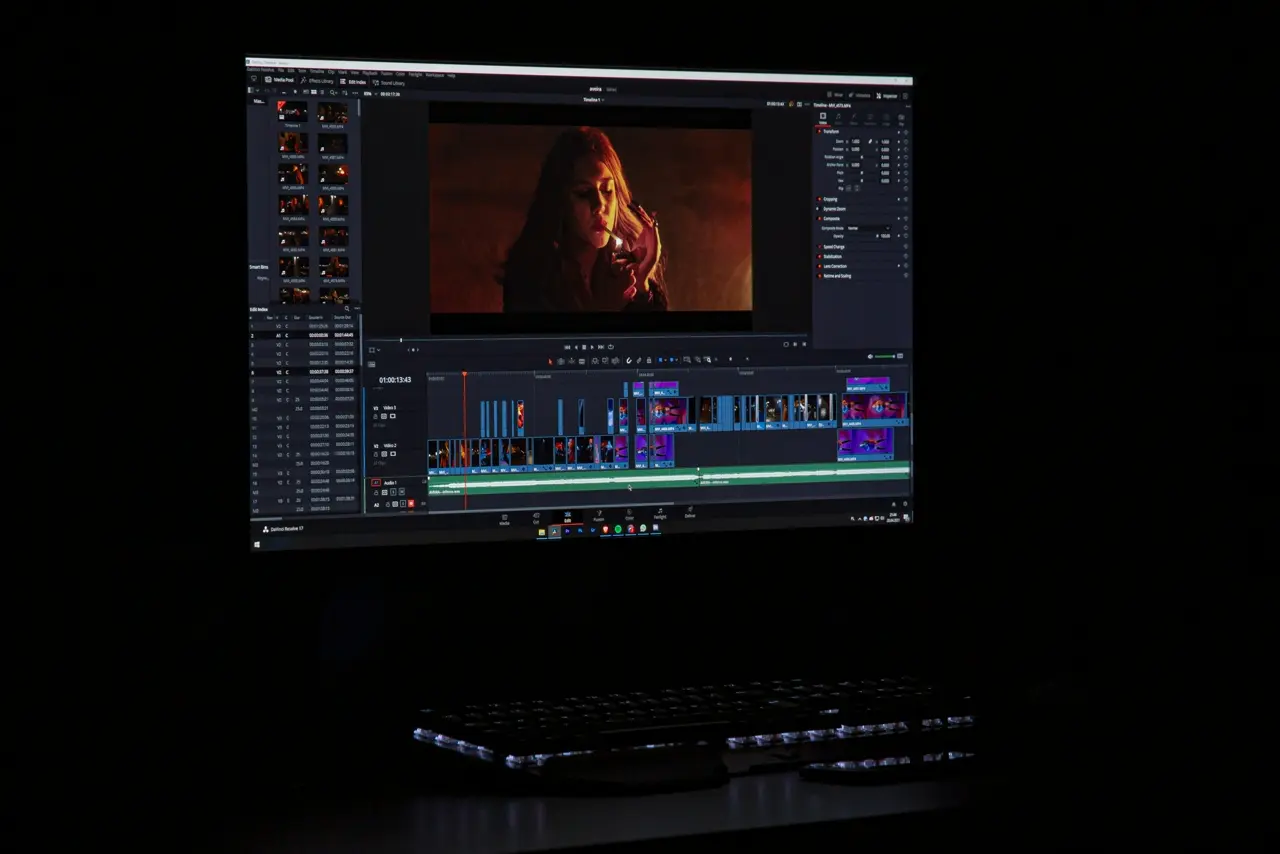
Capsule is a browser-based, AI-powered video editor built for enterprise teams and marketers. It promises to let non-editors “create stunning videos 10x faster” with built‑in brand templates, motion graphics systems, and AI assistants[1]. Core features include text‑based editing (edit video by editing its transcript), one-click audio polishing (VoiceMagic, filler-word removal), auto-framing for different aspect ratios, AI-generated titles/captions, and even generative AI Productions (creating AI actors and scenes from a script)[2][3]. Capsule’s key strengths are its team workflow and brand consistency: it’s fully cloud-based with real-time comments and shared links, and its Motion Design System lets creative teams import After Effects assets to enforce on-brand intros, lower thirds, etc. Non-designers can thus produce polished, branded content without deep editing skills[2][1].
However, Capsule has some limitations. Early reviews note it’s still maturing: users report performance issues on large files, limited raw editing tools (no built-in color correction, transitions, or fine grading), and occasional bugs in its beta interface[4]. It lacks offline or mobile versions (works in Chrome only) and focuses on workflow over creative freedom, so it’s not suited for complex filmmaker tasks. Pricing can be steep (paid tiers target large orgs), making it overkill for solo creators. In short, Capsule’s niche is enterprise teams needing fast, on‑brand video content; anyone needing deep editing control or a lightweight consumer tool may prefer an alternative.
VIDIO’s AI Video Editor
VIDIO AI Video Editor (from Vidio.ai) is a cloud-based, AI‑driven editor focused on automated processing of raw footage. It offers powerful AI tools for content enhancement and clipping: for example, an AI Background Remover/Mask can identify and mask foreground objects in seconds, making backgrounds transparent (so you can replace or blur them)[5]. Likewise, a Face/Object Blur tool can automatically track people and blur faces for privacy. Its Highlight Video Maker uses AI to auto-scan a longer clip and generate a shorter highlight reel: the user selects a summary mode (speech or visual cues) and length, and the AI produces segmented highlights[6]. Users can fine-tune segment lengths, transitions, and audio (including adding custom music) before export.
Beyond these, Vidio provides general enhancement features: one‑click video lightening, stabilization, upscaling, and audio cleanup. Unlike Capsule’s branding tools, Vidio emphasizes raw footage processing. It supports large uploads (up to 3 GB) and a variety of formats, with GPU acceleration for fast output[5][7]. It even offers video stitching (concatenating clips seamlessly) and automatic resizing for different platforms. Collaboration-wise, Vidio runs entirely in the browser so any team member with access can process videos; while it doesn’t have real-time multi-editor workspaces, it does support project exporting (e.g. XML for Premiere) and cloud storage integration, enabling hand-offs in team workflows[8].
Use cases: Vidio is ideal for quickly repurposing long footage into shareable clips. For example, marketing or events teams can upload a full-length presentation or retreat video and instantly get polished highlight reels and social‑friendly cuts[6]. Educators and training creators can auto‑summarize lectures into bite-sized videos. Sports or drone videographers can generate action highlights without manual editing. Any content creator who needs fast, AI‑assisted trimming, enhancement, and background control—whether vloggers, corporate comms teams, or small agencies—will benefit. In contrast to Capsule, Vidio serves more general content needs (quality fixes and synopsis) rather than strict brand templating.
Top Alternatives to Capsule
Below are several AI-augmented or collaborative video editors that serve as strong alternatives to Capsule, with their key features, pros/cons, platforms, and best use cases:
- Adobe Premiere Pro (Windows, macOS) – Industry-standard timeline editor. Key AI features: Auto Reframe (automatically adjusts shots for different aspect ratios), scene edit detection, AI color matching, and the new Object Mask (beta) that tracks and isolates moving objects in seconds[9]. Collaboration: supports cloud Team Projects for real-time co-editing in a Creative Cloud team, plus Productions for large projects. Pros: extremely powerful (advanced effects, color, audio), professional-grade; broad format support. Cons: steep learning curve, subscription cost, heavyweight (needs a fast computer). Best for: Professional editors, agencies, filmmakers needing full control (including some AI shortcuts) in a team environment.
- Descript (Web, Windows, macOS) – Text-first editor built around transcripts. Key features: automatic transcription, text-based editing (cut words from the script to trim video), one-click filler-word deletion, Overdub AI voice cloning, Studio Sound (audio leveling), green-screen, and new AI video generation. Collaboration: cloud-based with real-time co-editing and commenting in projects. Pros: intuitive for beginners (edit like a doc), excellent automatic subtitles and audio tools, built‑in screen recorder. Cons: free tier is limited (watermarks/capped time), not for heavy visual FX or multi-camera workflows. Best for: Solo creators, podcasters, YouTubers, educators or marketers who edit talk-to-camera videos and want AI transcript editing and dubbing[10].
- Kapwing (Web) – Collaborative online editor. Key features: AI-powered subtitles (auto-transcribe in multiple languages), Smart Cut (auto remove silences), video Resizer (one-click for TikTok/IG/YouTube formats), Background Remover (no green screen needed), and Clean Audio (noise removal)[11][12]. Collaboration: Team Workspaces with real-time editing, commenting, and shared brand assets (like a Google Docs for video)[13][14]. Pros: very user-friendly, lots of templates (memes, etc.), brand kit support, automatically applies edits across all selected clips. Cons: free plan watermarked and limited exports, not as precise for frame-by-frame editing. Best for: Social media teams and small businesses looking for an easy co-editing platform to churn out branded clips, memes and explainers quickly.
- VEED.IO (Web, iOS/Android) – All-in-one online video suite. Key features: Auto Subtitles and translations, AI avatars, Magic Cut (experimental auto-edit tool), filler-word removal, text-to-speech and AI voice cloning, background removal, and custom brand kits. Collaboration: Team projects with shared templates and review modes[7]. Pros: very feature-rich (especially for captions, social videos and “talking head” content), simple interface, and fast collaborative workflow[15][7]. Cons: free version watermark, more geared to marketing content (less suited for narrative editing). Best for: Marketing, L&D, and corporate teams needing polished social videos and training content with heavy captioning or AI dubbing; anywhere you want a one-stop browser-based editor.
- WeVideo (Web, iOS/Android) – Cloud-based editor focused on education and enterprise. Key features: multi-track timeline, screen recording, cloud storage integration, and preset themes. Collaboration: real-time multi-user editing is a core feature – multiple people can edit the same project at once[16]. It even has quizzing and interactive video layers for learning. Pros: very easy to learn, works in any browser (even on Chromebooks), and has strong joint editing for classrooms or teams. Cons: limited advanced effects compared to desktop NLEs, performance depends on internet, and free plan is basic. Best for: Classroom and corporate training environments, or any project-based team work (even non-educational) where multiple editors (students, employees) need to collaborate simultaneously[16].
- Canva Video (Web, iOS/Android, Desktop) – Online design platform with video editing. Key features: Simple drag-&-drop editor, AI design assistant (Magic Write), one-click background remover on video frames, auto-resize for socials, and a huge library of templates/motion graphics. Collaboration: Shared team folders, real-time commenting, and approved brand kits ensure consistent output across designers. Pros: extremely easy for non-designers, extensive asset library (stock video, music, fonts), and seamless mix of graphics/video. Cons: not for frame-accurate editing or heavy visual effects, limited free animations. Best for: Social marketers and business teams that want polished animated videos, slideshows and announcements quickly, especially when branding consistency and ease are top priorities.
- CapCut (Desktop/Windows, macOS, iOS, Android) – Free all-in-one video editor by ByteDance. Key features: Rich AI Magic Tools including auto captions, text-to-speech, smart filters, background removal, motion tracking, video stabilizer, and an AI video generator/dub. It supports multi-track editing and has both mobile and desktop apps. Pros: Very powerful for a free tool – frequent feature updates (like Auto Cut for TikTok), works offline on PC or phone, and AI features like voice cloning and upscaling[17]. Cons: User interface can feel cluttered, not cloud-collaborative (projects are local), and privacy concerns for corporate use (ByteDance-owned). Best for: Short-form social content creators on a budget (TikTok/Instagram videos), solo entrepreneurs, and anyone who wants advanced tools (stabilization, AI filters) without paying – especially on mobile.
- InVideo (Web) – Template-driven online editor. Key features: 5,000+ customizable video templates, AI Script-to-Video and text-to-video tools, auto voiceovers, and an 8M+ stock media library[18]. Collaboration: Team accounts and shared asset folders. Pros: Very fast template-based workflow, direct social integrations, and a mobile app for on-the-go editing[18]. Cons: Templates can feel generic, limited control outside of templates, and free outputs have watermarks. Best for: Teams and creators (agencies, SMBs) churning out many marketing ads or social posts quickly from scripts or blog content – especially if you need pre‑built layouts and collab features.
- Movavi Video Editor Plus (Windows, macOS) – Consumer desktop editor. Key features: User-friendly timeline, filters/effects, Montage Wizard for quick video assembly, and AI tools like scene detection, auto-stabilization, and object recognition effects. Collaboration: None (local software). Pros: Intuitive interface, one-time purchase option, plenty of built-in music and stickers. Cons: Not cloud-based, lacks advanced AI (no auto transcripts, no generative AI), and Mac version lags behind Windows. Best for: Solo creators and small businesses that want a straightforward, one-time-video editing solution without relying on cloud – for example making product demo videos or simple social clips on a PC.
- Lumen5 (Web) – AI-powered video maker. Key features: Converts blog posts or scripts into short videos using AI to find relevant visuals and music. Collaboration: Team accounts with shared libraries. Pros: Great for content marketers repurposing written content, very hands-off (AI does most editing). Cons: Very template-driven (not manual editing), best for high-level promo videos, not detailed editing. Best for: Content marketers and social managers who need to quickly turn articles or news updates into engaging video summaries or ads with minimal effort.
- Pictory (Web) – AI video editor/transcriber. Key features: Turns long form video (or text) into branded short clips by AI, automatically extracts highlight reels, captions, and visuals. Collaboration: Projects can be shared, but no real-time editing. Pros: Excellent at summarizing webinars, podcasts or interviews into snackable videos; cloud-based, API integrations. Cons: Limited manual editing scope, watermarked in free tier. Best for: Enterprises and educators looking to break down long recordings into social clips or training bites automatically.
Below is a quick comparison of platforms and features:
| Tool | AI Features | Collaboration | Platforms | Best For |
|---|---|---|---|---|
| Capsule (web) | AI co-producer (transcript edits, B-roll), AI Actors, brand templates[2][1] | Real-time comments, shared links (enterprise focus)[2] | Web (Chrome only) | Enterprise marketing teams (on-brand videos) |
| VIDIO AI Editor (web) | Auto highlight clips, background removal, object/facial blur[6][5] | Cloud-based upload/workflows (exports to NLEs)[8] | Web (Chrome) | Quick summarization and enhancement of raw footage (social clips, recaps) |
| Adobe Premiere Pro | Auto Reframe, Scene Edit Detection, Object Mask, Speech-to-Text, Sensei Color Match[9] | Team Projects (Creative Cloud) | Windows, macOS | Professional editors, agencies (full-featured editing with AI boosts) |
| Descript | Text-based editing, transcription, Overdub voice cloning[10], filler removal | Cloud projects (real-time) | Windows, macOS, Web | Podcasters, YouTubers, educators (transcript editing)[10] |
| Kapwing | AI auto-subtitles, silence removal, auto-resize, background remover[19][12] | Team workspaces (real-time)[13][14] | Web, iOS/Android | Social media teams, small businesses (collaborative quick edits) |
| VEED.IO | Auto-subtitles & translation, AI avatars, filler removal, auto-transcribe[15][7] | Team projects, review mode, brand kit[15] | Web, iOS, Android | Marketers & educators (caption-heavy videos, simple enterprise editing) |
| WeVideo | Basic AI (auto-edit modes), screen recording | Real-time multi-user editing[16] | Web, iOS, Android | Schools, teams (collaborative editing & interactive videos)[16] |
| Canva Video | Magic Resize, background remove, AI text/graphics | Team design/folder sharing | Web, macOS, Windows, iOS, Android | Non-designers and marketers (branded animated videos) |
| CapCut | AI filters, auto-captions, text-to-speech, auto-cuts, background remover[17] | No (local/mobile) | Windows, macOS, iOS, Android | TikTokers/IG creators (free AI-powered mobile/desktop editing) |
| InVideo | AI script generation, text-to-video, voiceovers[18] | Team account sharing | Web | Content teams (template-based promo & social videos)[18] |
| Movavi Video Editor | AI scene detection, stabilization, object removal | No | Windows, macOS | Budget creators (simple PC editing) |
| Lumen5 | AI text-to-video from blog posts | Team collaboration spaces | Web | Content marketers (blog→video) |
| Pictory | Auto video summarization, captioning, highlights | Project sharing (no real-time) | Web | Enterprises (recut webinars/podcasts) |
Recommendations by User Type
- Enterprise marketing teams: Stick with Capsule for maximum brand control. If Capsule’s limitations are an issue, consider VEED or Kapwing for team workspaces and brand kits, or Canva Video for easy templates. For advanced editing needs, pair Capsule’s exports with Premiere Pro (Team Projects) for final polish.
- Social media/content teams: Kapwing and VEED shine for fast, collaborative TikToks/Instagram videos with auto-captions and resizing. For quick text-to-video, InVideo or Lumen5 can turn scripts into post-ready clips. CapCut (mobile/desktop) is great for influencers on a budget.
- Solo creators & small businesses: Descript is ideal for vlog-style content editing. CapCut and Movavi offer powerful tools without subscriptions. Canva Video gives a quick way to make polished graphics/video combos. VIDIO can help repurpose longer footage if needed.
- Educators and trainers: WeVideo (for its collaborative editing) or VIDIO (to auto-summarize lectures and demos) work well. Kapwing and VEED simplify captioning and resizing for e-learning clips.
- Agencies and video professionals: High-end tools like Premiere Pro (with Team Projects) provide ultimate control, while tools like Descript or VEED can streamline social content creation. For creative experimentation, Runway or Sora (AI generators) might be considered (though not traditional editing tools).
Each tool has its sweet spot. Weigh the AI automation versus manual control and the importance of team collaboration for your specific workflow. By choosing the right alternative (or combination), teams and creators in 2025 can produce standout video content efficiently.
Sources: Capsule and VIDIO feature details and user reviews (and associated vendor docs, reviews, and marketing materials). Other tools’ features are summarized from their official sites and industry write-ups. All information is current as of late 2025.
[1] [17] [18] Capsule Alternatives in 2025 | Best Capsule Alternatives - Toolify
https://www.toolify.ai/alternative/capsule
[2] [3] [4] [10] Capsule AI Review (2025): The Enterprise Video Editor Put to the Test
https://serp.co/products/vidio.ai/reviews/
[7] [15] VEED.IO - Video Editor - Fast, Online, Free
[9] AI Video Editor | Adobe Premiere
https://www.adobe.com/products/premiere/ai-video-editing.html
[11] [12] [13] [14] [19] Kapwing — Create more content in less time
[16] Video Creation | Interactive Video | WeVideo
Top related tools
5Create with VibeEdit
Make Your Capsule Alternative Video Now
Describe your desired edits, such as adding AI actors, captions, branding, and transitions.