Changelog
VibeEdit Now Supports Automatic B-Roll Placement
VIDIO Team
Summary
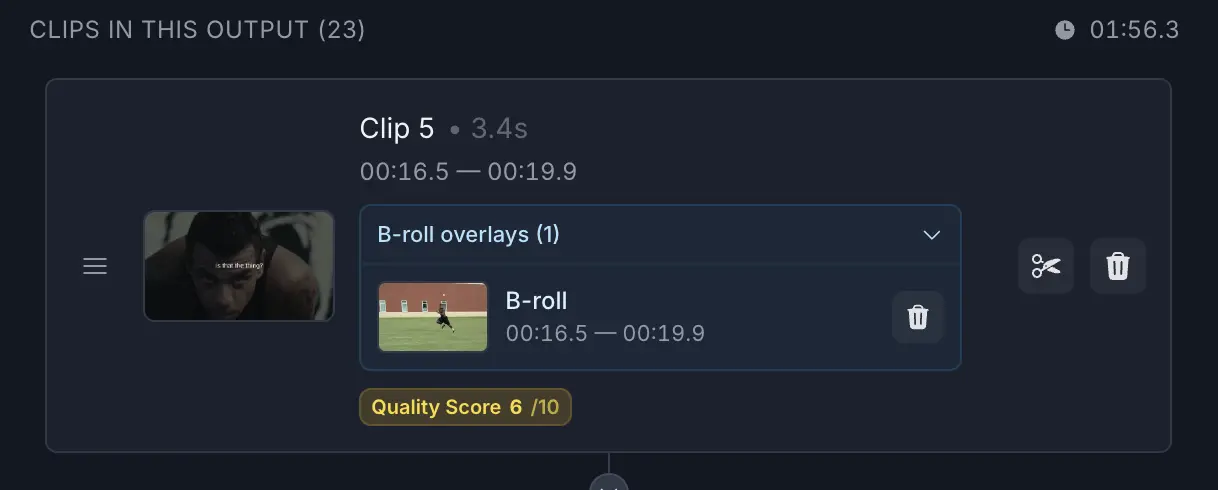
VibeEdit now supports automatic B-roll placement. When you add B-roll clips, VibeEdit will automatically determine the best spots within your A-roll to insert them. This makes your videos more engaging and cuts down on manual editing work by handling overlays for you.
What’s new
- Automatic B-Roll Placement: VibeEdit can now intelligently insert B-roll clips into your video. Simply add your B-roll, and VibeEdit will find the ideal moments to place them in the timeline.
- Hands-free editing: No more manually dragging and aligning overlay clips. VibeEdit handles the placement, letting you focus on your story.
Improvements
- Time-saving workflow: Automatically placed B-roll clips mean less manual adjustment, so you can edit faster.
- More dynamic videos: Seamlessly integrated B-roll creates a more professional and engaging final edit.
- Easier storytelling: With VibeEdit handling clip placement, you can focus on content rather than timing overlays.
Fixes
- No bug fixes in this release; the focus is on introducing the new automatic B-roll placement feature.
Notes / Known issues
- No known issues at this time.
Top related tools
3Ask our AI agent anything you want
This assistant can help you with guidance on what tools to use for your video editing needs.
Ask now