Bouncing video captioning
Enhance your video accessibility with our AI-powered Bouncing Video Captioning tool. Try it online for free and add dynamic captions effortlessly!
Trusted by over 1 million users worldwide
Adopted by influential creators and valued by users from global organisations










Simple 3-Step Process to Add Bouncing Captions to Your Videos
No lengthy setups or manual efforts. Follow these simple steps to effortlessly add bouncing captions to your videos with our tool.
- Upload Your Video
Drag and drop your video file onto our platform. We'll handle the rest.
- 2. Describe your requirements
Tell the AI what you want in your edit using the prompt box, then send it. Vidio will use your requirements to create the video.
- Download Your Captioned Video
Download your captioned video with ease, ready to engage your audience.
Make every video easier to watch with captions
Add clear, time-coded captions to footage so viewers can follow what's being said in tutorials, interviews, reels and social posts.





Effortless Captioning
Simplify Bouncing Captioning with AI
Our AI-powered bouncing captioning tool streamlines the process, providing intuitive features for effortless bouncing captioning.
- User-Friendly Interface
- No complex software or expertise required. Easily add bouncing captions to your videos with our user-friendly interface.
- Speed and Efficiency
- Experience swift processing and accurate captioning with our AI technology, enhancing productivity.
- Accurate Captioning
- Leveraging state-of-the-art AI algorithms, we ensure precise and reliable bouncing captions for your videos.
AI-powered editing
Fine-tune your Bouncing Caption edit
Start with AI-generated cuts and caption timing, then add or remove moments while related transitions, captions, and music stay aligned automatically.
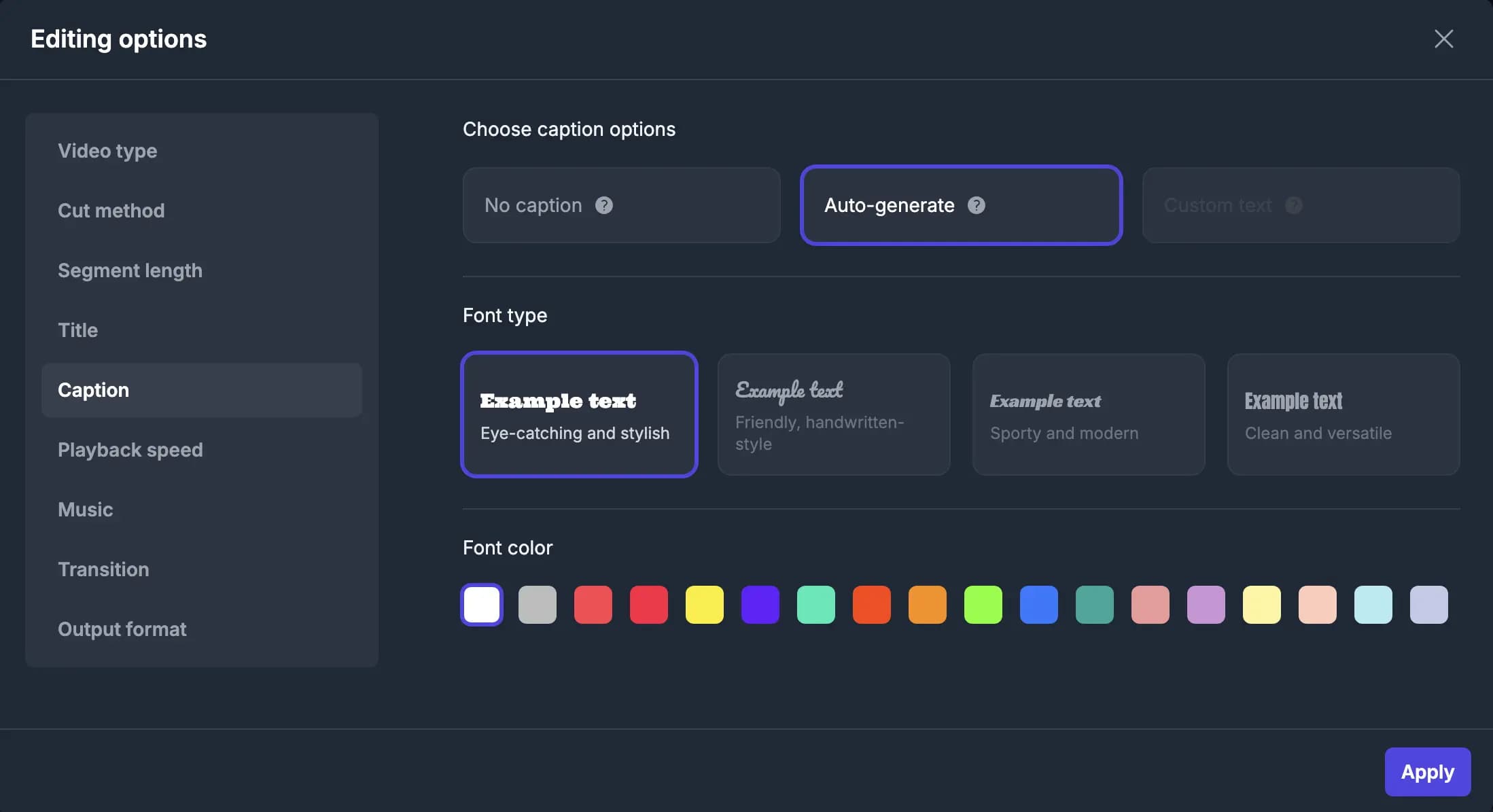
Game-Changing Video Captioning Features
- Export in SRT Format
- Easily export captions in the industry-standard SRT format, compatible with various platforms and software.
- 42-Character Rule Compliance
- Automatically ensure that captions follow the 42-character-per-line standard for optimal readability.
- Dynamic Font Selection
- Select the perfect font for your captions based on your prompt, leveraging a library of thousands of fonts.
- Caption Bouncing Animation
- Add a playful touch to your videos with captions that bounce dynamically for added visual interest.
- Subtitle Word Limit Adjustment
- Automatically adjust the subtitle word count per frame based on the video’s frame size for optimal text placement.
- Auto Language Detection
- Effortlessly detect the spoken language in your video to generate accurate captions in the correct language.
Recommended by top media and bloggers.





Frequently Asked Questions
- How does the bouncing captioning tool generate captions for videos?
Our bouncing captioning tool utilises advanced algorithms to analyse video content and generate accurate captions automatically, enhancing accessibility and engagement.
- What video formats are compatible with this captioning tool?
Our tool supports a wide range of video formats, ensuring compatibility with various video files, including MP4, MOV, and more.
- Is there a limit on the video duration or file size for captioning?
Yes, there is a maximum file size limit of 3GB for videos that can be processed. For more information, please visit the pricing page.
- Is there a cost associated with using this captioning tool?
We offer a free option with limited features. Premium options are available for more advanced features and longer videos.
- Can users edit or adjust the generated captions?
Yes, our tool provides flexibility for users to review and edit captions as needed, ensuring accuracy and customisation.
Related Tools
Edit like a pro in a minute.
Still not sure? Just upload your video and experience professional editing can be fun.