Best Tools for Automatic Video Clipping and Highlighting

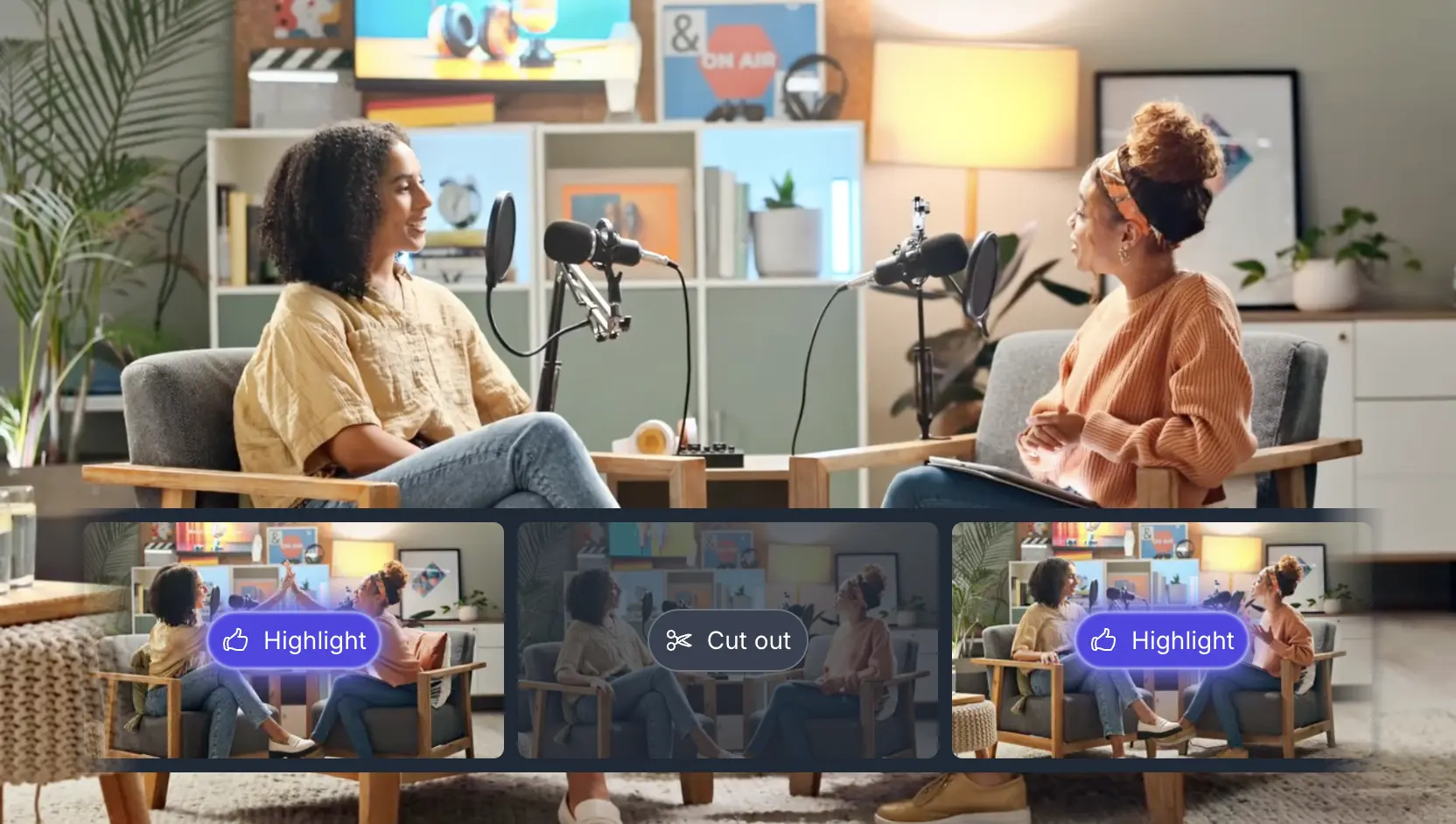
As short-form content (TikTok/Reels/Shorts and highlight reels) explodes in popularity, creators and marketers are turning to AI-powered editors to quickly repurpose long-form videos. Modern tools can automatically find “viral-worthy” moments, remove silences/fillers, add captions, reframe for different aspect ratios, and even schedule posts. Below we survey the leading solutions – both AI-driven and traditional – for turning long videos (interviews, webinars, events, sports, etc.) into polished short clips. Each tool’s strengths, weaknesses, ideal use cases, platforms, pricing, and output formats are analyzed. A summary comparison table follows to help choose the right tool for your needs.
AI-Powered Clipping and Highlight Tools
VIDIO AI (Highlight Video Maker)
Overview: Vidio is a web-based AI tool dedicated to creating highlight reels. Users upload a video and Vidio automatically extracts key segments into a short highlight reel. The interface is “one-click”: AI analyzes the footage, detects exciting moments (using scene and audio cues), and stitches them together with transitions. You can configure segment length, background music, pace (fast vs. storytelling), aspect ratio (e.g. vertical for Reels), and even add smooth transition effects - vidio.ai, pro.dailymotion.com. For example, Vidio was featured on Dailymotion’s “Top 5 AI Video Highlights Generators” list for its ease of use and AI-driven moment-selection - pro.dailymotion.com.
Strengths: Produces polished highlight reels quickly with little input. Offers customizable editing (musical cue, clip pacing, transitions) to match any style - vidio.ai. Handles diverse content – beyond sports it works for presentations, interviews, events - pro.dailymotion.com. Online and free to try (signup required), with paid plans (details require contacting sales). Reported clients include media companies like Vox Media.
Weaknesses: It’s a specialized tool, so heavy editing beyond highlights (e.g. multi-camera sync) is limited. Pricing isn’t publicized (enterprise-level, likely higher-end). Output is typically MP4; check if batch exports or integrations (e.g. direct social posting) are supported.
Wisecut (AI Video Editor for Shorts)
Overview: Wisecut is a cloud editor focusing on efficiency. It automatically cuts out silent pauses and ums/ahs, keeping only the engaging parts of talking-head videos - wisecut.ai. In practice, you upload a long video (e.g. a vlog or interview), and Wisecut’s AI removes silences and filler. It also auto-centers faces (via zoom) and adds background music that ducks under speech - wisecut.ai. The result is a smooth, faster-paced video ready for short-form use. Wisecut also auto-generates subtitles/translations and provides a “storyboard” transcript interface for manual tweaks if needed.
Strengths: Ideal for long speeches/interviews where editing out pauses is tedious. Auto-subtitles (in multiple languages) increase engagement - wisecut.ai. Very user-friendly: “no video editing skills needed” - wisecut.ai. Free tier available (watermarked output at 720p); paid plans unlock HD/4K exports and more minutes. Because it centers on dialogue, it works best for talking-head content (educational videos, podcasts, tutorials).
Weaknesses: As a streamlined tool, it doesn’t offer manual precision beyond the storyboard. Its AI may not correctly judge all “highlight” moments by itself – heavy action or multi-person scenes could be mis-cut. The free plan is limited (short exports, watermark). Performance depends on clear audio (needs speech to identify highlights).
Klap (AI Shorts Generator)
Overview: Klap is an AI tool designed to repurpose long videos into many short vertical clips for TikTok, Reels, Shorts, etc. Users can paste a YouTube link or upload footage; Klap’s AI then finds highlights and automatically re-frames them for vertical format. It boasts an “AI Reframe” feature that applies genre-specific layouts (split-screen, gaming overlays, screencasts) to make clips look professional - klap.app. Klap also auto-generates captions in 50+ languages and even AI “virality scores” for each clip - klap.appklap.app.
Use Cases: Best for creators/marketers with existing long-form content (podcasts, lectures, interviews) who want quick multi-clip output. Klap claims “2.5M clips made by 1.2M creators” - klap.app, emphasizing scale. Its one-click pipeline (upload → get multiple clips) suits busy social media managers.
Pricing: Free trial available (no credit card). Paid tiers start at $23/month for the Starter plan (10 uploads, 100 clips) - klap.app. Pro is $63/mo (30 uploads, 300 clips, 4K download, 29-language AI dubbing) - klap.app, and Pro+ $151 for heavy users - klap.app. Annual billing saves ~17%.
Strengths: Highly automated (multi-clip output from one video), with customization (fonts, colors, brand kits) - klap.app. Captions and translations help reach global audiences. Good analytics/integration features (schedule posts directly) for brands. According to reviews, Klap excels with talking-head content (educational, podcast clips) - toolsforhumans.ai.
Weaknesses: No dedicated mobile app (web-only) - toolsforhumans.ai. As with any AI editor, some user oversight is needed (the algorithm may miss context nuances). The free plan is limited to 45-minute videos and 100 clips - klap.app. Best features require the Pro tiers.
OpusClip (AI Video Clipper)
Overview: OpusClip (by the makers of Opus.pro) is an all-in-one AI video clipping tool for social media. It automates turning a single long video into multiple optimized clips (“1 long video, 10 viral clips” - opus.pro). Key features include ClipAnything (auto-extract clips), AI Reframe (aspect ratio changes for each platform), animated captions, and even AI-generated B-roll suggestions - opus.pro, opus.pro. It can also export XML for advanced editing in Premiere/DaVinci if needed. The tool integrates scheduling and team workspaces for agencies and marketers.
Use Cases: Broad appeal: suitable for creators, marketers, advertisers, podcasters – anyone repurposing content. For example, livestreamers can create recap Shorts, and e-commerce brands can spin product videos into ads.
Pricing: OpusClip offers a Starter plan at $15/mo, and a Pro plan at $29/mo - opus.pro, each with a free plan (60 upload mins/month, but clips with watermark - opus.pro). The Pro tier removes watermarks, boosts monthly quotas, and adds features. (Pricing page is interactive, but those figures are from text.)
Strengths: Very feature-rich: up-to-date AI engine with tools like AI-driven captions, virality scoring, genre-specific reframing, and a full editor - opus.pro, opus.pro. Supports 720p–4K export. Strong for teams (shared workspace, calendar posting). Won SXSW Pitch 2024, highlighting innovation - opus.pro.
Weaknesses: Can be complex for a solo creator to navigate all options. The free plan is modest (short clip length, watermark). Some users report occasional bugs (new features are rolling out quickly). Best for users who need multi-clip workflows and have time to explore its many capabilities.
Spikes Studio
Overview: Spikes Studio is an AI video editor aimed at turning raw footage into “scroll-stopping” social clips for YouTube, TikTok, Reels, etc. It uses AI to detect standout moments and automatically applies transitions, zooms, and branded caption styles. You upload a video (or connect via integrations), and Spikes generates highlight clips with animated captions and optional AI B-roll.
Features: Multi-format export (vertical, square, landscape), customizable templates, auto-generated transcriptions, and scheduled posting via native tools. Spikes also offers analytics and collaboration features for teams. According to its site, it “resizes clips for TikTok/Instagram/YouTube in seconds” - spikes.studio. It explicitly targets both creators and businesses.
Pricing: Spikes has a free Basic plan ($0, 30 min processing/month, 720p export, with watermark) - spikes.studio. Paid Pro+ plan (billed yearly $13.99/mo) covers ~60 hours/year (1080p, no watermark, animated captions, AI B-roll, GIFs) - spikes.studio. Enterprise is $54.99/mo (240h/yr plus custom templates, account manager) - spikes.studio. Monthly billing is also available at higher per-month rates ($32.99 and $115.99 respectively) - spikes.studio.
Strengths: Affordable for professionals on annual pricing (as low as $0.04/min on Pro+) - spikes.studio. Good for fast turnarounds and consistent branding (custom styles, templates). The tool’s clean interface and focus on captions and branding make it easy to produce polished clips without much manual editing.
Weaknesses: Free and lower tiers have strict minute limits (30-300 min/mo). Heavy editing flexibility is limited – it’s optimized for quick social clips. Enterprise features (customization and support) are costly. Some advanced editing (multi-camera, fine audio) may still require desktop editors.
Chopcast (AI Video Highlights)
Overview: Chopcast is a cloud platform that finds key moments in videos for repurposing. It “watches your videos and identifies the key parts based on the subject matter” - chopcast.io. It caters especially to marketers, podcasters, and B2B creators who need to cut long webinars/podcasts into bite-sized clips. Chopcast provides an “AI video highlights” tool (free to use via web) and also offers a done-for-you editing service for enterprise clients.
Features: The highlight tool auto-generates clips which you can then tweak manually. Chopcast’s site highlights ease-of-use and enterprise trust (used by HubSpot, Thomson Reuters, etc.) - chopcast.io. The free AI tool supports any length and can export MP4 with subtitles (available in SRT, VTT).
Pricing: The self-service “AI tools” section is free (up to 8 clips per month for paid plan tiers, but you can try it for free) - chopcast.io. The paid Startup/Business plans (from ~$997/mo to ~$4,997/mo) provide dozens of AI-generated clips per month with fast turnaround and extras like scheduling/shows notes - chopcast.io.
Strengths: Impressively versatile (for webinars, podcasts, panels, etc.). Even the free tier is generous for individual users, and no watermark is mentioned. Its quotes from customers emphasize versatility and time saved - chopcast.io.
Weaknesses: The AI can sometimes miss nuance (requires reviewing clips). Free plan limits output. The full service (done-for-you video editing) is very expensive – not for casual users. The interface is relatively basic compared to some polished SaaS.
Recast Studio
Overview: Recast Studio brands itself as an “AI-powered video editor for marketing teams.” It is heavily tailored to podcasters: upload an episode (audio/video), and Recast will auto-generate multiple short video clips plus related content (show notes, blog posts, social captions, emails) in one click - recast.studio, recast.studio. At its core is the AI Shorts Generator which finds shareable moments, and Auto Reframe for clipping to social aspect ratios.
Features: Beyond video clipping, Recast uses AI to handle almost all podcast repurposing tasks (transcripts, multi-language subtitles, voice cloning, even email copy). For video output, it offers text-based editing and animated captions. It’s essentially an all-in-one marketing asset suite for audio/video content. Recast advertises “Single Episode, 30+ Viral Clips. In Minutes.” - recast.studio.
Pricing: Recast has a Starter plan at $10/mo (120 credits, 300 min export, single video max 1 min) and Professional at $20/mo (300 credits, 600 min, 15 min max) - recast.studio. There’s also a Business tier at $60 (600 min, 60 min max). A free trial (60-credit pack) is available - recast.studio.
Strengths: Unmatched for podcasters and content marketers: it automates everything so you rarely need manual editing. Very fast (social clips + marketing copy from one upload). Affordable for solo creators. The AI is robust (multi-language transcription built-in).
Weaknesses: Less suited to general video (non-interview) content. Credits system may confuse new users. Starter plan outputs only 5 minutes video total (just a few shorts) - recast.studio, so upgrading is necessary for heavier use. The interface is still evolving, and unlike some video-focused tools, clip styling options are more templated.
GetMunch (Munch AI Video Repurposing)
Overview: Munch is an AI “video repurposing platform” that focuses on extracting contextually relevant snippets. It uses machine learning to “keep what’s important at the center of each video” and suggests clips with high trending potential - getmunch.com. Users upload long videos (interviews, demos, webinars), and Munch auto-generates dozens of shareable clips, complete with captions and suggested hashtags. It also provides analytics on each clip’s virality score.
Features: Key features include automatic scene detection, AI-selected captions, and social-ready format exports. Munch emphasizes “riding the trends”: it analyzes social data to pick clips likely to go viral - getmunch.com. The built-in editor lets you fine-tune clips (add B-roll, logos, transitions, etc.) before publishing.
Pricing: Munch offers three paid tiers: Pro $49/mo (200 min upload), Elite $116/mo (500 min), and Ultimate $220/mo (1000 min) - unite.ai. Each plan includes team accounts and watermark-free 720p/1080p exports. There’s a free trial/demo.
Strengths: Powerful for marketers and agencies needing many clips from long content. Its context-aware AI (plus trending analysis) can yield more engaging clips than simple silence-removal. Users praise its intuitive editor and integrated workflow - unite.ai. Good language support for global content.
Weaknesses: Plans are relatively pricey for casual creators. Free trial outputs may have watermarks. Less known than some competitors, so integrations (scheduling, stock assets) are more limited.
Vizard.ai
Overview: Vizard is a cloud-based AI editor designed for creators, marketers, and teams. It automatically clips long videos into short social videos with one click. You can upload or link from YouTube/Twitch/Zoom/etc., and its AI identifies engaging snippets - vizard.ai. Vizard also offers AI auto-reframe, animated captions, and even AI emoji/tag generation for social posts. Uniquely, Vizard features a Team Workspace for collaboration and multi-account management - vizard.ai, vizard.ai.
Features: In addition to clipping, Vizard has tools for adding B-roll, speaker cutouts, transcription, and social caption suggestions. It’s widely used (5M+ creators) and integrates with many video sources - vizard.ai. Vizard’s free tier provides 60 minutes/month; paid plans unlock more minutes and features like multi-account publishing.
Pricing: Vizard’s Free tier ($0) gives 60 min/month with 720p export - vizard.ai. The Creator plan (starting ~$15) removes the watermark and bumps minutes (tiered by yearly usage, e.g. 600–2600 min/year) - vizard.ai. The Business tier (teams) adds shared storage and collaboration tools (pricing custom).
Strengths: Very flexible (supports many input platforms, team features). Free plan is generous compared to some. Good for repurposing webinars, podcasts, webinars. Many AI “co-pilot” tools (like logo upload, automated captions). Praised for ease-of-use.
Weaknesses: Interface can feel busy with many options. Watermark on free plan. The separate usage tiers under Creator plan are unusual (it shows “$0 50% OFF $0” which may confuse users), and actual pricing higher for large minutes.
VEED.IO (Auto Video Editor)
Overview: VEED is an online video editor with a wide range of tools. Its “Clips” feature is designed for auto-generating social clips: you upload a video (with speech), choose a clip length and highlight focus, and VEED’s AI will pick segments accordingly - veed.io. It also instantly removes silences, adds auto-subtitles, and can retime for different platforms - veed.io, veed.io. In short, VEED offers “smart video editing” in-browser, with an emphasis on ease.
Features: Beyond Clips, VEED has templates, filters, background removal, and a full editor. You can trim, crop, and adjust any clip manually after the AI generates suggestions. It also offers translation and brand customization. VEED markets itself as “fast, online, free” and supports HD export.
Pricing: VEED has a Free plan (720p, 10 min uploads, VEED watermark). Paid Pro is around $15–$24/mo (longer exports, 1080p, remove watermark). Exact plans vary by source, but paid unlocks most features - speechify.com.
Strengths: Versatile – one platform for everything (cutting, captioning, effects). The Clips AI is relatively easy to use. Free tier is actually useful for casual social content. Veed’s simplicity suits beginners.
Weaknesses: Free exports are watermarked. Large files can lag in browser. The auto-clips feature is not as specialized; some manual curation is often needed. Occasional user reports mention performance issues on big projects.
CapCut (AI Shorts Maker)
Overview: CapCut (by ByteDance) is a popular free video editor (mobile app and online). Its AI Shorts Maker specifically auto-creates short clips from long videos. According to CapCut’s site, the AI “automatically selects highlights from your long videos, edits them into engaging short clips, and optimizes them for YouTube” - capcut.com. In practice, you upload a video and CapCut’s AI will find “key moments” and produce one or more Shorts with transitions and optional auto-captions - capcut.com, capcut.com.
Features: Unlimited AI-generated Shorts (no per-month limit) - capcut.com. Automatically adds subtitles (multi-language) and sound effects. The interface is very user-friendly. CapCut also has regular editing tools (filters, effects, manual cuts) beyond the AI mode. It’s tightly integrated with TikTok.
Pricing: Free. All features (AI and regular) are free, with no watermarks (for TikTok use) and unlimited usage - capcut.com. There are paid add-ons (like stock packs), but core editing is free.
Strengths: No cost barrier. Very polished and easy to use on desktop or mobile. Handles multiple languages and has advanced audio filters. The AI is quite good at finding visual highlights (especially for vlogs, gaming, travel videos).
Weaknesses: Geared toward social media (particularly TikTok), so final clips are TikTok-ready but might need resizing for other platforms. Users must trust a Chinese company with their footage (privacy concerns for some). Not a batch tool – you generate one Short per upload.
Pictory (Transcript-Based Clipper)
Overview: Pictory is an AI video platform mainly known for turning scripts into videos, but it also offers tools to clip videos via transcript. The “Edit videos with AI” flow automatically transcribes your video, and then you can select text excerpts to generate clips - kb.pictory.ai. In effect, Pictory’s AI helps by auto-transcribing and segmenting the video; you pick which sentences become a short video. It then spits out a trimmed MP4 (with optional SRT captions, as described in their knowledge base) - kb.pictory.ai.
Features: Auto-transcription in 20+ languages, speaker identification, and keyword search. You can export multiple clips from one video by selecting different transcript segments - kb.pictory.ai. Pictory also adds stock video or images behind spoken text if desired (good for voiceover content).
Pricing: Free trial available (includes some credits). Paid plans start at around $19–$59/mo for various editing minutes and projects.
Strengths: Excellent for repurposing webinars, Zoom calls, podcasts: just highlight the most meaningful text and get a clip. Even for non-English content, Pictory’s transcription is robust. Clips can be downloaded with open captions (helpful for social media engagement).
Weaknesses: Not fully automatic: you must manually select the segments (though the transcript UI makes it easy). Visual editing is limited – you can’t fine-tune cuts beyond the chosen text. Videos without speech (music/dance) are not the focus. The free plan is limited to short exports.
Traditional Editors with Smart Features
While AI-specific tools focus on hands-off clipping, many traditional video editors now include automated features:
-
Adobe Premiere Pro: Industry-standard editor with Auto Reframe (automatically crops to various aspect ratios) and Scene Edit Detection (finds cut points in a long video) - opus.pro. Its Team Projects and advanced timelines mean you can auto-detect highlights (via speech analysis) and then manually polish. It’s subscription-based ($20.99/mo or included in Creative Cloud). Strengths: Ultimate control and quality. Weaknesses: Steep learning curve, time-consuming without AI scripting.
-
Final Cut Pro (Apple): Offers Smart Conform (auto-faces centering when converting to vertical) and one-click templates. No explicit auto-clip tool, but its AE/AE triggers can simulate quick cuts. Mac-only ($299 one-time). Strengths: High-end quality, integrated on Mac. Weaknesses: Manual editing still needed for cutting.
-
DaVinci Resolve: Free-tier pro editor. It has Scene Cut Detection and some AI tools (like object removal, auto subtitling). Manual or semiauto use only. Strengths: Powerful color/grade and cut detection. Weaknesses: No true “autoclip” mode.
-
Clipchamp (Microsoft): An easy web editor with a suite of “AI (magic) tools.” It has auto-caption and smart trim features, but no specialized one-click highlight. Strengths: Very user-friendly, free plan (720p), Microsoft-backed. Weaknesses: More manual than the others; mainly template-driven.
-
Magisto/Animoto/PlayPlay: These are template-driven “make a video from assets” tools. Magisto (Samsung) can auto-edit raw footage into short stories, but lacks fine-tuning. PlayPlay (enterprise) has highlight templates for corporate videos - playplay.com. Strengths: Quick for brand-marketing content. Weaknesses: Limited customization, corporate pricing (e.g. ~$160–200/user on GetApp - getapp.com).
Choosing the Right Tool
The best tool depends on your content and needs:
-
For Solo Creators: Free/easy tools like CapCut, Wisecut, Veed or Vizard are ideal. They require little learning and have free tiers. For example, CapCut’s AI Shorts Maker turns a video into TikToks at no cost - capcut.com.
-
For Social Marketers & Agencies: All-in-one platforms like OpusClip, Klap, GetMunch or Spikes Studio shine. They automate multi-clip generation and often integrate scheduling. OpusClip and Klap specifically emphasize analytics and distribution, while Munch and Vizard add trend-prediction AI.
-
For Podcasters/Educators: Recast Studio, Chopcast, Descript, and Pictory are tailored for spoken-word content. Recast will generate clips plus transcripts, blog posts, etc., while Chopcast specializes in webinar highlights. Descript lets you cut by editing text (remove “ums”, silence) and then exports short clips.
-
For Enterprise / Corporate Videos: PlayPlay and Vidio offer polished, template-driven highlights and branding. PlayPlay’s highlight maker can crank out an event recap video in minutes - playplay.com.
-
Budget Consideration: Many have free options (Veed, CapCut, Vizard) or low-cost entry ($10–20/mo for Recast, $23/mo for Klap). High-volume creators may invest in mid-tier ($30–60/mo) or enterprise (hundreds per month) plans for more processing minutes and support.
Comparison Summary
| Tool | Platforms | Pricing (tiered) | Pros | Cons |
|---|---|---|---|---|
| VIDIO AI | Web | Free trial; paid (contact sales) | One-click highlight reels; advanced AI customization (pace, music) - pro.dailymotion.com, vidio.ai | Enterprise-focused, pricing not transparent |
| Wisecut | Web | Free (720p, watermark); Pro $19+/mo | Auto-remove silences/filler, auto-subtitles - wisecut.ai; very easy UI | Limited manual control; free plan capped |
| Klap | Web | Free trial; $23 Starter (100 clips) - klap.app | AI multi-clip output, auto-captions, reframing - toolsforhumans.ai; platform scheduler | No mobile app; free tier limited |
| OpusClip | Web | Free (60 min/60 clips); $15/mo (60C); $29/mo (300C) - opus.pro | Rich feature set (AI B-roll, captions, viral score) - opus.pro, opus.pro | Learning curve; free plan watermark |
| Spikes Studio | Web, iOS/Android | Free (30 min); $32.99/mo; $115.99/mo | Fast processing; templates; captions - spikes.studio; affordable (annual) | Paid tiers needed for full quality; min limit |
| Chopcast | Web | Free AI tools; $997+/mo services | Free high-quality clips; built for webinars/podcasts - chopcast.io | Enterprise service is costly; AI rough cuts |
| Recast Studio | Web | Free trial (60cr); $10 Starter; $20 Pro - recast.studio | All-in-one podcast repurposing; shownotes/blog/email also | Starter very limited video length - recast.studio; focused on audio |
| GetMunch | Web | $49/mo (200min); $116 (500m); $220 (1000m) - unite.ai | Trend-aware AI selection; context-rich clips - getmunch.com | More expensive; geared to pro marketers |
| Vizard.ai | Web | Free (60 min/mo); Creator $$/mo; Business (team) | Supports many sources; team workspace; generous free tier - vizard.ai | Complex interface; free watermark initially |
| Veed.io | Web | Free (10 min, 720p, watermark); Pro ~$15–$24/mo - speechify.com | Full online studio; auto subtitles, filters; simple “Clips” tool - veed.io | Free plan limited; not specialized |
| CapCut (AI) | Web, Mobile (iOS/Android) | Free (unlimited) | Completely free; excellent social formatting; auto-captions - capcut.com | No batch mode; ties to TikTok ecosystem |
| Pictory | Web | Trial; plans from ~$19–59/mo | Transcription-based clipping; multi-language; SRT captions - kb.pictory.ai | Manual segment selection; limited free use |
| Adobe Pr Pro | Windows/Mac | $21/mo (monthly); part of CC ($54/mo) | Industry-grade control; AI refocusing (Auto Reframe); scene detection | Steep learning; manual effort remains |
| Final Cut | Mac | $299 one-time | Smart Conform to crop; Magnetic timeline eases edits | Mac-only; manual highlights only |
| Clipchamp | Web, Windows | Free (720p); paid from ~$10/mo | Very easy web editor; basic auto tools | Less AI automation (more templates) |
| PlayPlay | Web | Contact sales (from ~$200/user/mo) | Branded templates for corporate highlights - playplay.com | Expensive; limited to template-driven edits |
Each of these tools can save hours of manual editing. AI-powered options like Klap, OpusClip or Vizard are best when you need to churn out many clips quickly. Wisecut, CapCut or VEED are great for simpler one-off edits. Specialized tools like Recast and Chopcast work wonders on podcast/webinar content, while corporate platforms (PlayPlay, Vidio) give polished results for brand marketing. By comparing features and prices above, content creators can pick the right automated editor to boost productivity and engagement in 2025 and beyond.
Sources: Official product sites and reviews for each tool - wisecut.ai, klap.app, toolsforhumans.ai, spikes.studio, veed.io, vidio.ai, pro.dailymotion.com, chopcast.io, recast.studio, recast.studio, unite.ai, capcut.com, kb.pictory.ai.
Top related tools
5Create with VibeEdit
Turn Your Footage into Viral Highlights Instantly
Describe the style, key moments, music, and length you want for your highlight video.