#1 Online AI video editor
Auto face blurring
Protect your privacy with our Auto Face Blurring tool! Effortlessly blur faces in videos using advanced AI. Try it online for free today!
Trusted by over 1 Million users worldwide
 Auto scan



























Simple 3 steps to automatically blur faces in video
No need to install anything on your device. Nothing to learn to use our tool. We need just a few clicks from you. We simply do the job in easiest way.
You upload.
No installations, nothing to learn to use our tool. Moving objects are blurred with just a few clicks.
0:12MP4 · 50 MB0%Choose faces to blur.
We automatically apply state-of-the-art AI algorithms to blur faces in a minute. You can select faces to remain unblurred in this process.
Auto blur · every frame0%You download.
You download your face-blurred videos on your device by simply clicking the Export button.
0%MP41080pMP4
Auto face blur
Upload it, the faces blur themselves
No keyframes and no drawing boxes. VIDIO finds the faces and blurs them automatically.
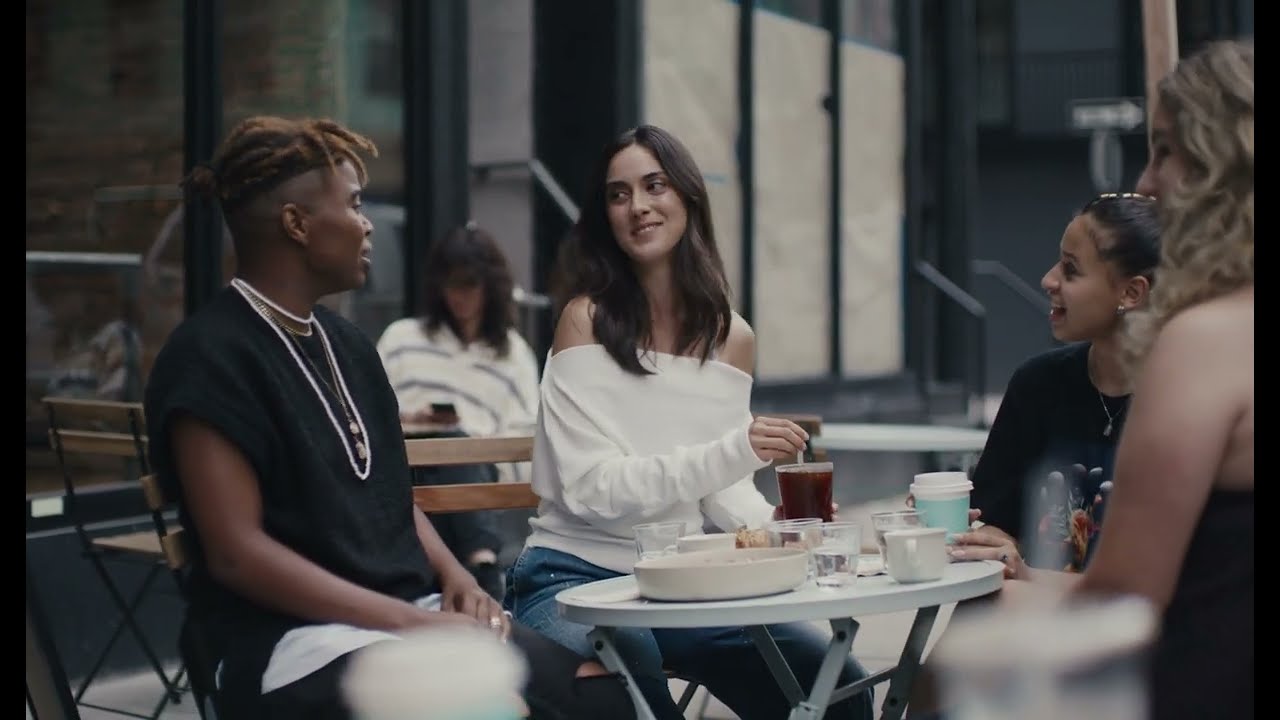
Automatic face detection
Four friends at a cafe, found and blurred without a click.
Auto scanThe whole clip, done for you
VIDIO goes through every frame, so you do not have to.
Follows faces on its own
Friends lean in and turn around. The blur keeps up without help.
One switch to keep a face
All faces blur by default. Turn one back on if you need to.
Choose the look once
Blur, pixelate or emoji, applied to every face.

Recommended by top media and bloggers.





Who it's for
Hours of footage, no manual work
Automatic blurring for people who have a lot of video and little time.
0
Faces blurred
Daily vloggers
Blur faces on every upload
Run each vlog through auto blur before it goes live.
YouTube16:9 · 18:00
- 0%
Frames covered
Agencies
Batch client footage fast
Blur bystanders across a full shoot without editing by hand.
MP416:9 · 25:00
- TeacherStudents
Who stays, who is blurred
Schools
Recorded lessons, students blurred
Blur students in long lesson recordings in one pass.
YouTube16:9 · 50:00
- 1Kept64Blurred
Faces found
Organizers
Conference footage cleared for posting
Blur the audience and keep the speaker on stage clear.
LinkedIn16:9 · 30:00
0
Clips ready
Streamers
IRL highlights ready to post
Auto blur strangers in your stream clips.
TikTok9:16 · 0:40
Discover More20
More ways to use VIDIO, grouped by what you're making.
AI Tools for Video Creators
Browse all tools- Video privacy mask
- Video identity protector
- Interview privacy blur tool
- Facial privacy filter
- Face obfuscation software
- Crowd face anonymizer
- Child face blurring
- Bodycam face redaction
- AI face blurring
- AI face masking in videos
- AI face anonymizer
- AI face mosaic
- AI face pixelation
- Blur moving face
- Auto face blur
- Cover face in videos
- Censor face in videos
- Hide face in videos
- Blur face in videos online
- Auto face redaction in videos
Related Tools
7Related Articles
5Video editing guides and news
Loved by content creators worldwide.
Review is translated.



Make your next upload your best one
Edit it, package it, schedule it and track it with VIDIO. Free to start.

$456,000 Squid Game In Real Life!
- Create


- PublishClick appeal 81
- Creator analyticsviews