Video Scene Detection API
Automatically detect scenes in videos through API calls. No need to manually review the entire video to find scene boundaries.
Trusted by over 0.5 Million users worldwide



Adopted by influential creators and valued by users from global organisations










3 steps to use the Video Scene Detection API
Integrate automated scene detection into your product with a simple API workflow.
1from vidio import VidioClient
2import os
3from dotenv import load_dotenv
4
5load_dotenv()
6
7client = VidioClient(api_key=os.getenv("VIDIO_API_KEY"))
8
9# 1. Upload inputs
10u1 = client.upload("image1.jpg")
11u2 = client.upload("image2.jpg")
12u3 = client.upload("image3.jpg")
13
14# 2. Create highlight reel
15job = client.create_highlight_reel(
16    input_keys=[u1.input_key, u2.input_key, u3.input_key],
17    video_category="travel",
18    output_length=30,
19    aspect_ratio="portrait"
20)
21
22# 3. Wait for processing
23job = client.wait_for_job(job.job_id)
24
25# 4. Render output
26job = client.render(job.job_id)
27job = client.wait_for_render(job.job_id)
28
29print(job.output_url)
Scene detection API
Video scene detection made easy for developers
Integrate automated video scene detection into your application with an API built for simplicity, speed, and accuracy.
- Simple integration
- Add scene detection to your product with a straightforward API workflow and clean developer experience.
- Fast analysis
- Use optimised media infrastructure and AI pipelines to detect scene boundaries quickly at scale.
- Accurate results
- Return reliable scene segmentation data that can power editing, search, summarisation, and content indexing workflows.
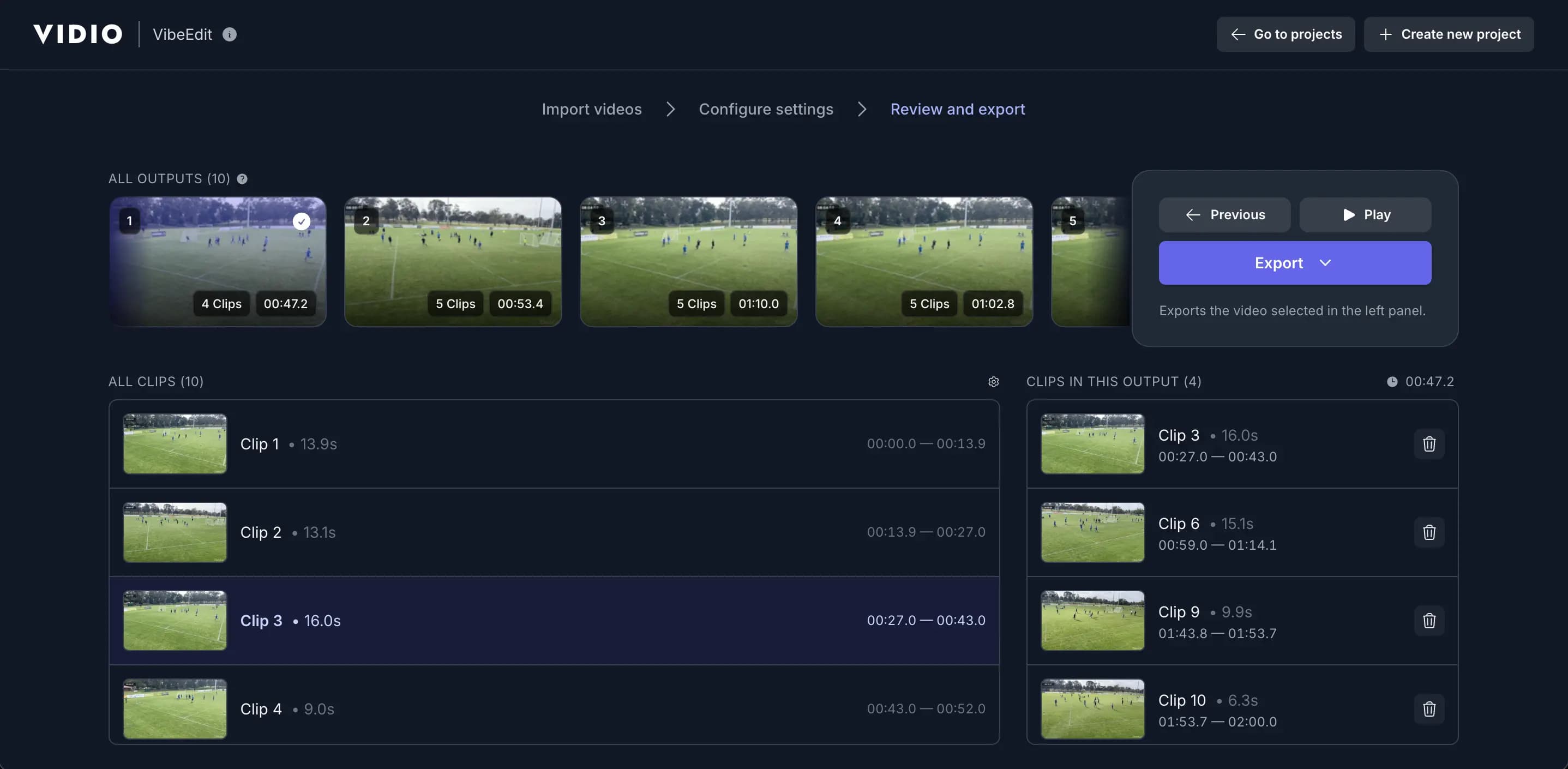
Build Smarter Scene Detection Workflows with AI
- Search Scenes with Text Queries
- Find relevant scenes programmatically using text-based queries and scene metadata returned by the API.
- Support for Unscripted Footage
- Detect scene changes in unscripted videos such as sports, vlogs, events, and raw footage without relying on transcripts.
- Dialogue-Aware Segmentation
- For dialogue-heavy content, combine scene boundaries with speech-aware segmentation for more precise downstream workflows.
- Scene Length Controls
- Configure minimum or target scene lengths programmatically to fit your product’s workflow and pacing requirements.
- Scene Output for Next Workflows
- Return detected scenes as structured data or downstream-ready assets for editing, search, clipping, and automation workflows.
- Batch Processing Support
- Process multiple videos at scale with an API built for automated media pipelines and production workloads.
Recommended by top media and bloggers.





Frequently Asked Questions
- How does the Video Scene Detection API work?
The API analyses video content and detects scene boundaries automatically, returning structured results that can be used for editing, search, clipping, and other workflows.
- What video formats are supported?
Supported formats include common video types such as MP4 and MOV, with broader format support depending on your workflow.
- Is there a limit on file size or video duration?
Limits depend on your plan and workflow configuration. For example, videos may be subject to a maximum file size such as 3GB.
- Can I try the API before committing?
Yes, trial or free-access options may be available depending on your current onboarding or pricing plan.
- Do I need to install any software?
No. The API is accessed programmatically, so there is no need to install editing software to use scene detection in your product.
Loved by content creators worldwide.
The review has been translated.
Edit like a pro in a minute.
Still not sure? Just upload your video and experience professional editing can be fun.