AI Photos to Video API
Automatically convert image collections into engaging videos through API calls. No manual editing workflow required.
Trusted by over 0.5 million users worldwide


Adopted by influential creators and valued by users from global organisations










3 steps to use the Photos to Video API
Integrate photo-to-video generation into your product with a simple API workflow.
1from vidio import VidioClient
2import os
3from dotenv import load_dotenv
4
5load_dotenv()
6
7client = VidioClient(api_key=os.getenv("VIDIO_API_KEY"))
8
9# 1. Upload inputs
10u1 = client.upload("image1.jpg")
11u2 = client.upload("image2.jpg")
12u3 = client.upload("image3.jpg")
13
14# 2. Create highlight reel
15job = client.create_highlight_reel(
16    input_keys=[u1.input_key, u2.input_key, u3.input_key],
17    video_category="travel",
18    output_length=30,
19    aspect_ratio="portrait"
20)
21
22# 3. Wait for processing
23job = client.wait_for_job(job.job_id)
24
25# 4. Render output
26job = client.render(job.job_id)
27job = client.wait_for_render(job.job_id)
28
29print(job.output_url)
Photo-to-video API
AI photo-to-video creation made easy for developers
Use our API to turn image collections into polished videos automatically for events, marketing, e-commerce, and storytelling workflows.
- Simple integration
- Upload photos and trigger video generation with a straightforward API workflow.
- Fast processing
- Generate photo-to-video outputs quickly with optimised AI pipelines and rendering infrastructure.
- High-quality results
- Create visually engaging videos with smooth pacing, transitions, and AI-assisted storytelling.
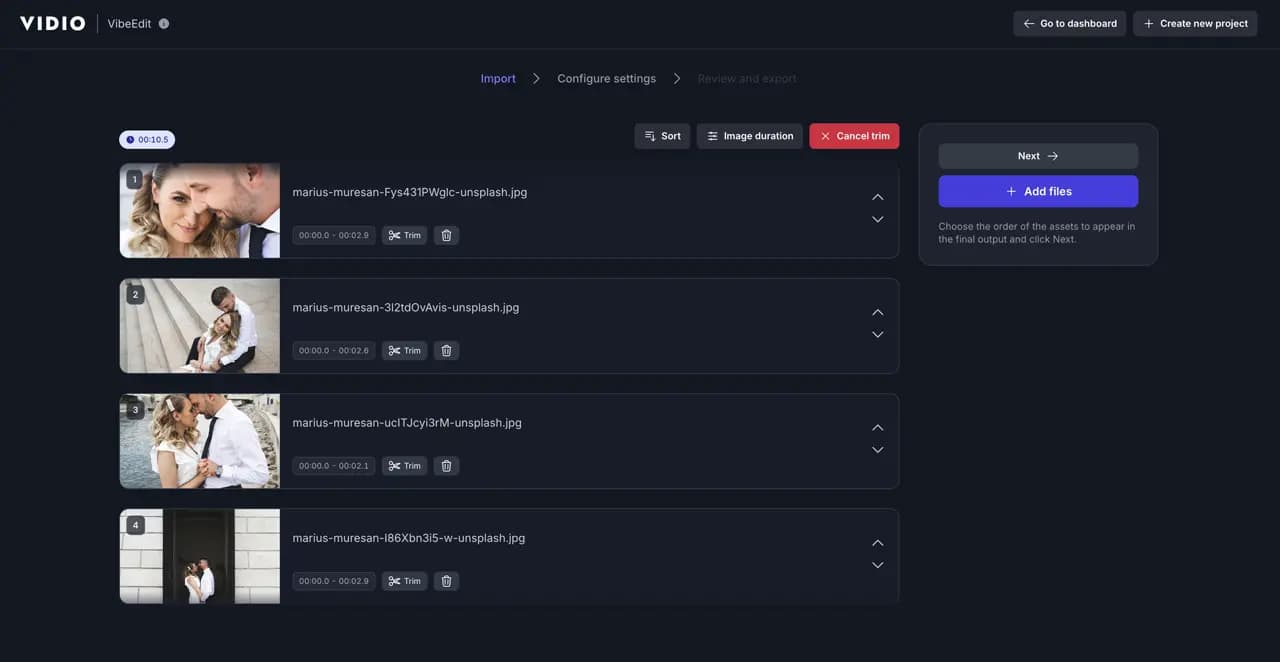
Build Photo-to-Video Workflows with AI
- Automatic Photo Sequencing
- Arrange uploaded photos into a natural video sequence automatically with AI-driven ordering.
- AI Highlight Selection
- Detect and prioritise the best images while reducing duplicates or low-quality shots in generated videos.
- Music Sync Controls
- Sync transitions and pacing to background music with AI-assisted timing and beat alignment.
- Smart Duration Control
- Set target video length programmatically and let AI balance image timing across the final output.
- Preview and Export
- Generate preview outputs and export photo-to-video results in production-ready formats.
- Batch Project Support
- Create multiple photo-to-video jobs at scale for albums, product catalogues, events, or automation workflows.
Recommended by top media and bloggers.





Frequently Asked Questions
- How does the Photos to Video API work?
The API accepts uploaded images, applies AI-based sequencing and timing, and generates a video automatically based on your selected settings.
- What image formats are supported?
Supported image formats include JPG, PNG, and GIF.
- Can I add background music?
Yes, depending on the workflow, you can provide your own audio or choose supported music options when generating the video.
- Is there a limit on uploads?
Limits depend on your plan and workflow configuration. For example, projects may support up to 100 images per request.
- Do I need to install any software?
No. The API is accessed programmatically, so there is no need to install editing software to generate videos from photos.
Loved by content creators worldwide.
The review has been translated.
Edit like a pro in a minute.
Still not sure? Just upload your video and experience professional editing can be fun.