#1 Online AI Video Editor
Video Text Obfuscation with AI
Securely obfuscate on-screen text in videos. Upload your video and automatically obscure text in seconds—try it free.
Trusted by over 1 Million users worldwide




























Obfuscate video text in 3 easy steps
No software required—upload, obfuscate, and export securely.
Upload
Upload your video or screen recording.
15:31MP4 · 3.8 GB0%Select text
AI detects on-screen text. Choose what to obfuscate.
1Sam Lee sam.lee@mail.com(555) 014-2290 · 42 Elm St, Apt 32Ana Ruiz ana.r@studio.io+1 555 0187 · 9 Harbor Rd3Ken Ito ken@ito.jp090-5555-0123 · 2-1 Minato, TokyoNamesEmailsPhone numbersAddressesDownload
Export your video with text fully obfuscated.
0%MP41080pMP4
Text, made unreadable
Text no one can read back
VIDIO finds the text in your video and covers it with a blur, pixels or a solid bar. Signs, screens and documents all count.
Blur, pixelate or a solid bar
Cover the road signs with the style you need. A solid bar leaves nothing to recover.
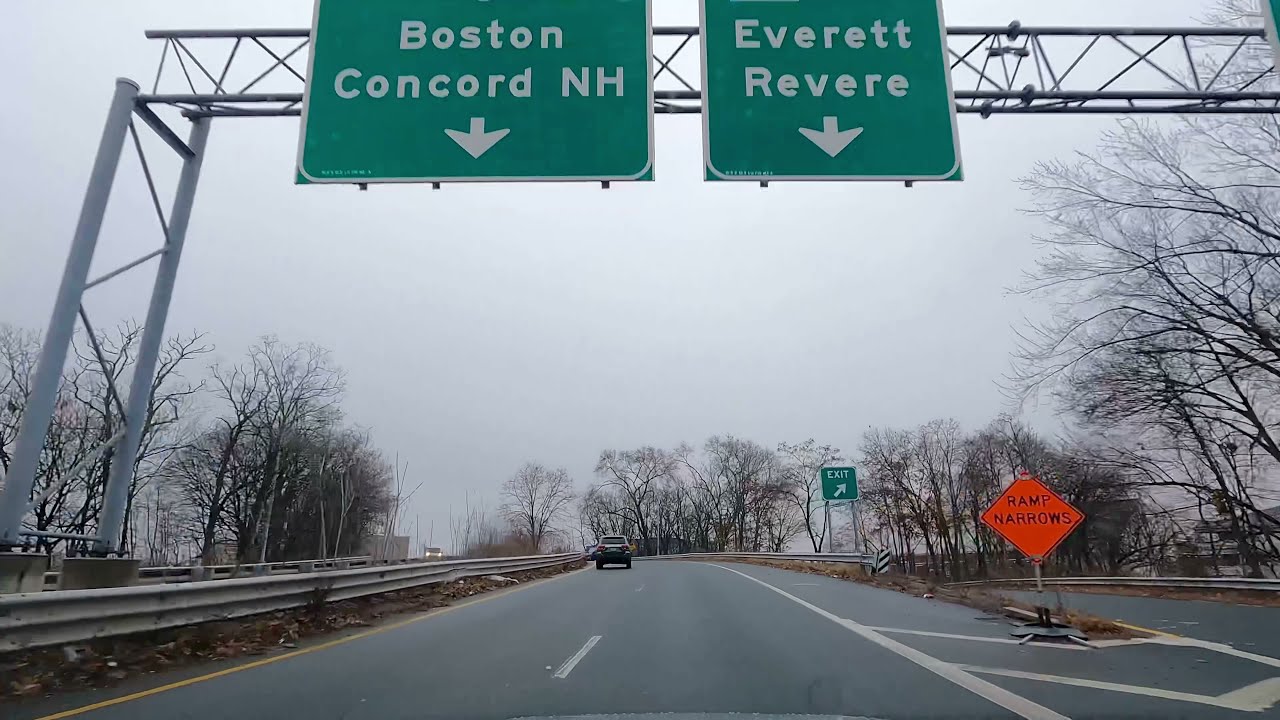
Every sign in the shot found
VIDIO reads the overhead signs and roadside boards, then covers each one.
Reading the frameStays on as the car moves
The cover follows each sign as the camera drives past it.
Dashboards and apps
Screen recordings scroll by with names and numbers covered.
- Sam Leesam.lee@mail.com
- Ana Ruiz+1 555 0187
- Ken Itoken@ito.jp
- Mia Park42 Elm St, Apt 3
- Leo Grant4111 1111 1111 1111
- Ana Ruizana.r@studio.io
- Sam Leesam.lee@mail.com
- Ana Ruiz+1 555 0187
- Ken Itoken@ito.jp
- Mia Park42 Elm St, Apt 3
- Leo Grant4111 1111 1111 1111
- Ana Ruizana.r@studio.io
Documents and ID cards
Private fields on a card or a form are covered. The rest of the shot stays.

Name
SAM J. LEE
Date of birth
04 / 12 / 1991
ID number
D 4821 7730 15
Recommended by top media and bloggers.





Who it's for
Hide the text, keep the footage
Teams and creators who must remove readable text before a video goes out.
- 0%
Frames checked
Compliance teams
Footage cleared for release
Cover every readable name and number before the video is shared.
MP416:9 · 20:00
0
Signs covered
Driving channels
Drives without location clues
Blur road signs and exit numbers so viewers can't tell where you are.
YouTube16:9 · 24:00
- The cutProduct namesPrices
What stays, what goes
Agencies
Drafts with unreleased text hidden
Send cuts to reviewers with product names and prices covered.
MP416:9 · 1:30
- 10Names6Papers
Covered
Researchers and teachers
Study footage with names removed
Cover names on whiteboards and papers before showing the clip in class.
YouTube16:9 · 8:00
0
Usernames covered
Streamers
Clips with the overlay cleaned up
Cover usernames and messages in the overlay before you post the clip.
TikTok9:16 · 0:50
Discover More16
More ways to use VIDIO, grouped by what you're making.
AI Tools for Video Creators
Browse all tools- Privacy Info Blurring
- AI Text Blurring
- Blur Sensitive Information
- Hide Text in Video
- Video Text Obfuscation
- Blur names and addresses in video
- Blur phone numbers in video
- Blur ID numbers in video
- Blur credit card info in video
- Blur sensitive text on screen
- Blur confidential documents in video
- Blur emails and messages in video
- Blur chat messages automatically in video
- Blur house numbesr in video
- Blur name tags in video
- Blur badges and IDs in video
Related Tools
6Related Articles
5Video editing guides and news
- 01Best Tools for Automatic Video Captions and Subtitles
- 02Transforming Lectures: Using AI to Create Concise Educational Video Clips
- 03What Is a Deepfake Video? Understanding AI-Generated Fake Content
- 04AI Face Blurring for Video: Streamlining Compliance in Market Research
- 05Tools for Selective Face Blurring in Videos
Loved by content creators worldwide.
Review is translated.



Make your next upload your best one
Edit it, package it, schedule it and track it with VIDIO. Free to start.

$456,000 Squid Game In Real Life!
- Create


- PublishClick appeal 81
- Creator analyticsviews