#1 ऑनलाइन एआई वीडियो संपादक
इंटरव्यू प्राइवेसी ब्लर टूल
हमारे इंटरव्यू प्राइवेसी ब्लर टूल के साथ अपनी गोपनीयता को आसानी से सुरक्षित करें। इसे ऑनलाइन मुफ्त में आजमाएँ और बस कुछ क्लिक में वीडियो में चेहरों को धुंधला करें!
द्वारा विश्वसनीय 1 मिलियन उपयोगकर्ता विश्व स्तर पर
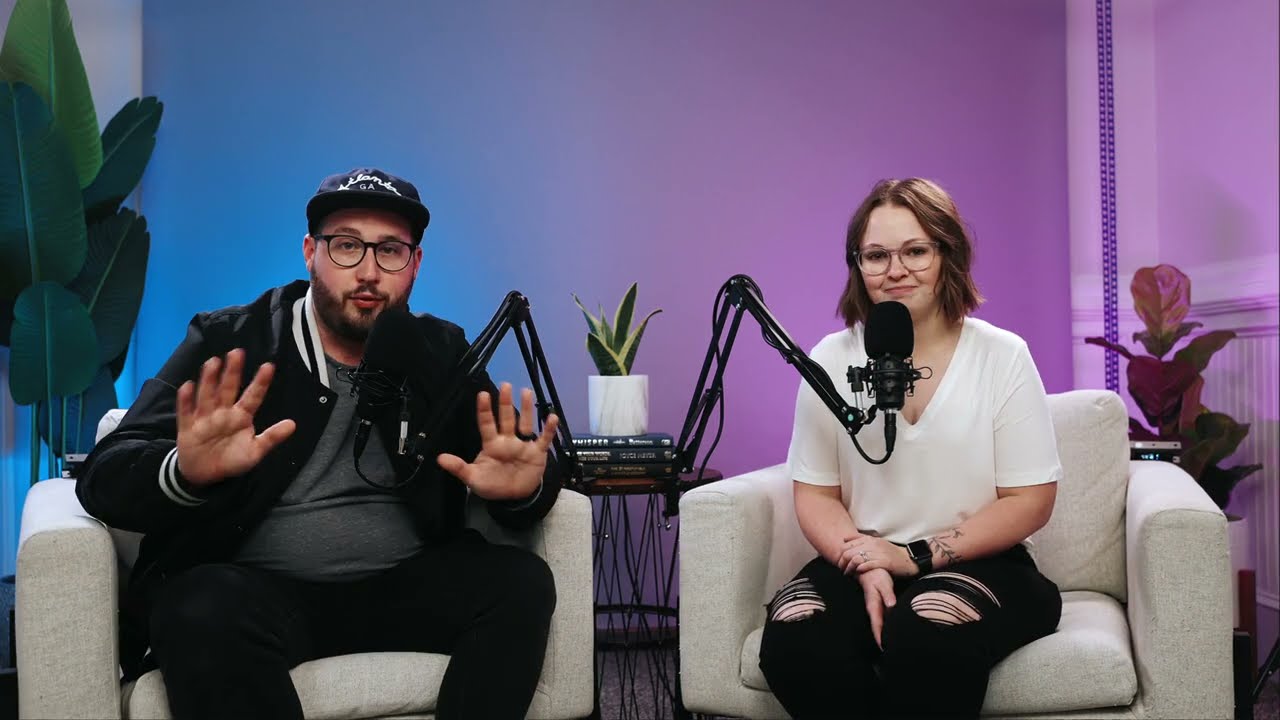 Scanning



























इंटरव्यू में चेहरों को धुंधलाने के लिए सरल 3 कदम
आपके उपकरण पर कुछ भी इंस्टॉल करने की कोई आवश्यकता नहीं है। हमारे टूल का उपयोग करने के लिए कुछ भी सीखने की आवश्यकता नहीं है। हमें बस आपसे कुछ क्लिक की आवश्यकता है। हम इसे सबसे आसान तरीके से करते हैं।
आप अपलोड करें।
कोई इंस्टॉलेशन नहीं, हमारे टूल का उपयोग करने के लिए कुछ भी सीखने की आवश्यकता नहीं है। चलती वस्तुओं को सिर्फ कुछ क्लिक में धुंधला किया जाता है।
3:26MP4 · 865 MB0%धुंधलाने के लिए चेहरों का चयन करें।
हम एक मिनट में चेहरों को धुंधला करने के लिए अत्याधुनिक एआई एल्गोरिदम लागू करते हैं। आप इस प्रक्रिया में धुंधले न रहने के लिए चेहरे का चयन कर सकते हैं।
4 faces found1 kept visibleआप डाउनलोड करें।
आप बस एक्सपोर्ट बटन पर क्लिक करके अपने उपकरण पर अपने चेहरे-धुंधले वीडियो डाउनलोड करते हैं।
0%MP41080pMP4
Interviews, kept anonymous
Blur the guest, keep the host
VIDIO finds both faces in your interview. Turn the blur off for the host and the guest stays hidden from start to end.
Both faces found in the studio
Upload the interview and VIDIO finds the host and the guest in their chairs. No masks to draw.
ScanningKeep the host on camera
Switch off the blur for the interviewer. Only the guest is hidden.
Stays on when the guest moves
The blur follows the guest as they lean in, turn or talk with their hands.

Soft blur or heavy pixels
Use a soft blur, a mosaic or an emoji, and set how strong it is.
Hidden for the whole episode
Every frame is checked, so the guest never shows for a moment.
शीर्ष मीडिया और ब्लॉगर्स द्वारा अनुशंसित।





Who it's for
Interviews people can speak freely in
Journalists, researchers and creators can protect the people they interview and still publish the conversation.
- HostSource
Who stays, who is blurred
Documentary creators
Anonymous sources on camera
Blur a source who spoke on the condition that they would not be shown.
YouTube16:9 · 22:00
- 0%
Frames blurred
Video podcasters
Guests who want to stay private
Publish the full video episode with your guest's face blurred.
YouTube16:9 · 58:00
0
Interviews blurred
Researchers
Research interviews, de-identified
Blur participants before you share interview recordings with your team.
MP416:9 · 35:00
0
Speakers blurred
HR teams
Employee stories without names or faces
Share honest feedback videos with each speaker blurred.
LinkedIn16:9 · 3:00
0
Bystanders blurred
Street interviewers
Vox pops with bystanders hidden
Keep the person you ask and blur the people walking behind them.
TikTok9:16 · 0:50
और जानें20
आप जो बना रहे हैं उसके हिसाब से VIDIO इस्तेमाल करने के और तरीके।
वीडियो क्रिएटर्स के लिए एआई टूल
सभी टूल देखें- वीडियो प्राइवेसी मास्क
- वीडियो पहचान रक्षक
- इंटरव्यू प्राइवेसी ब्लर टूल
- फेशियल प्राइवेसी फ़िल्टर
- फेस ऑबफ्यूस्केशन सॉफ्टवेयर
- भीड़ चेहरा गुमनाम करने वाला
- बच्चे का चेहरा धुंधला करना
- बॉडीकैम फेस संशोधन
- एआई फेस ब्लरिंग
- वीडियो में एआई फेस मास्किंग
- एआई फेस अनामकरण
- एआई फेस मोज़ेक
- एआई फेस पिक्सेलेशन
- चलते हुए चेहरे को धुंधला करें
- ऑटो फेस ब्लर
- वीडियो में कवर फेस
- वीडियो में सेंसर फेस
- वीडियो में छिपा चेहरा
- वीडियो में ऑनलाइन फेस ब्लर
- वीडियो में ऑटो फेस संपादन
संबंधित उपकरण
7संबंधित लेख
5वीडियो एडिटिंग गाइड और खबरें
- 01सार्वजनिक फुटेज में चेहरे और पृष्ठभूमि धुंधला करना: गोपनीयता और उपकरणों का मार्गदर्शक
- 02प्राइवेसी और सामग्री सुरक्षा के लिए TOP 5 AI चेहरा धुंधलाने के उपकरण
- 03यूजर-जनित कंटेंट में चेहरे को धुंधला करने के लिए सर्वश्रेष्ठ प्रथाएँ जो गोपनीयता बनाए रखें
- 04इंटरव्यू वीडियो में मौन हटाने का स्वचालन: तकनीकें और उपकरण
- 05वीडियो के लिए AI फेस ब्लरिंग: मार्केट रिसर्च में अनुपालन को सरल बनाना
दुनिया भर के कंटेंट क्रिएटर्स द्वारा पसंद किया गया।
समीक्षा का अनुवाद किया गया है।



अपना अगला अपलोड सबसे बेहतरीन बनाएं
इसे एडिट करें, पैकेज करें, शेड्यूल करें और VIDIO के साथ ट्रैक करें। मुफ्त में शुरू करें।

$456,000 Squid Game In Real Life!
- बनाएं


- प्रकाशित करेंक्लिक अपील 81
- निर्माता विश्लेषणव्यूज़