 Auto scan



























在视频中自动模糊面部的三个简单步骤
无需在设备上安装任何内容。无需学习如何使用工具。只需几次点击,我们会处理其余部分。
上传视频
无需安装或学习如何使用工具。运动对象在几次点击内被模糊。
0:12MP4 · 50 MB0%选择要模糊的面部
我们应用现代AI算法在不到一分钟的时间内模糊所选择的面部。您可以选择在此过程中不被模糊的面部。
Auto blur · every frame0%下载视频
只需点击导出按钮,您就可以下载模糊后的video到您的设备。
0%MP41080pMP4
Auto face blur
Upload it, the faces blur themselves
No keyframes and no drawing boxes. VIDIO finds the faces and blurs them automatically.
Automatic face detection
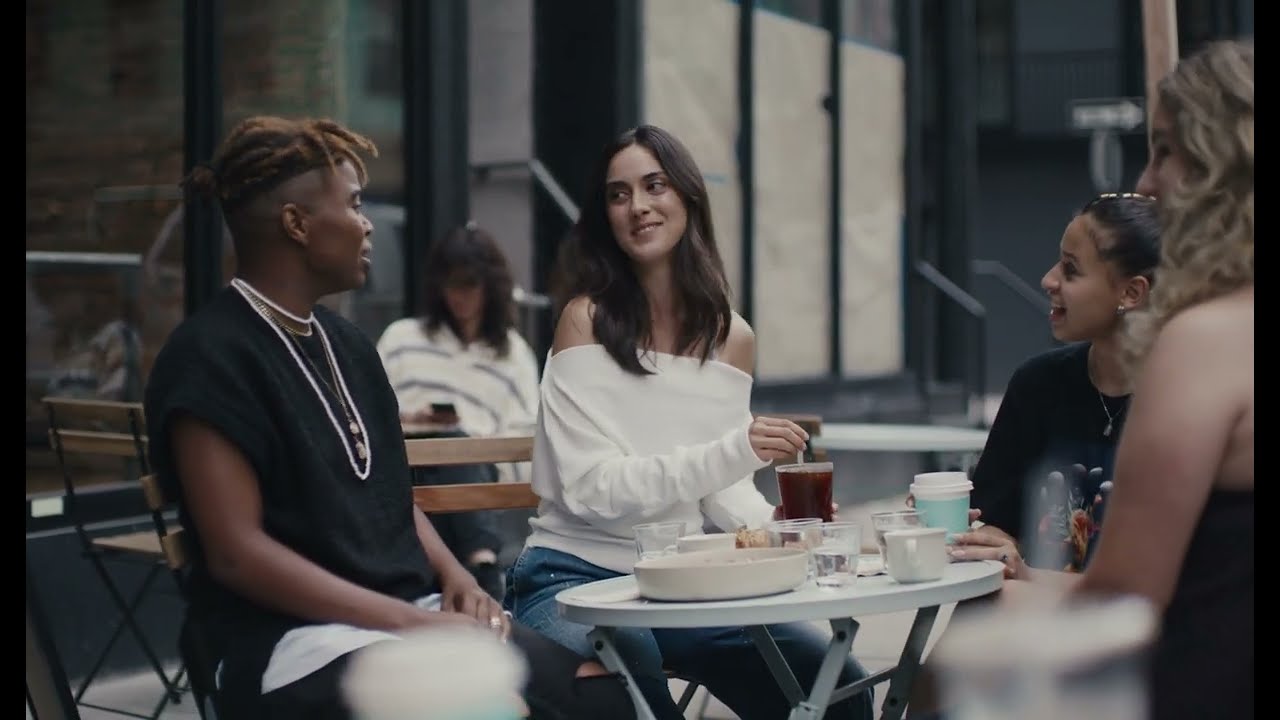
Four friends at a cafe, found and blurred without a click.
Auto scanThe whole clip, done for you
VIDIO goes through every frame, so you do not have to.
Follows faces on its own
Friends lean in and turn around. The blur keeps up without help.
One switch to keep a face
All faces blur by default. Turn one back on if you need to.
Choose the look once
Blur, pixelate or emoji, applied to every face.

受到顶级媒体和博主的推荐。





Who it's for
Hours of footage, no manual work
Automatic blurring for people who have a lot of video and little time.
0
Faces blurred
Daily vloggers
Blur faces on every upload
Run each vlog through auto blur before it goes live.
YouTube16:9 · 18:00
- 0%
Frames covered
Agencies
Batch client footage fast
Blur bystanders across a full shoot without editing by hand.
MP416:9 · 25:00
- TeacherStudents
Who stays, who is blurred
Schools
Recorded lessons, students blurred
Blur students in long lesson recordings in one pass.
YouTube16:9 · 50:00
- 1Kept64Blurred
Faces found
Organizers
Conference footage cleared for posting
Blur the audience and keep the speaker on stage clear.
LinkedIn16:9 · 30:00
0
Clips ready
Streamers
IRL highlights ready to post
Auto blur strangers in your stream clips.
TikTok9:16 · 0:40
相关工具
7受全球内容创作者喜爱。
评论已翻译。





