Every plan · No watermark on Pro and up
Countdown Maker
Make a countdown timer video from 5 seconds to 10 minutes: big digits in a ring that empties, an alarm at 0:00 and your words above the clock. Pick any of 34 looks or a green screen to key out in OBS, Premiere or CapCut, then download the MP4.
Trusted by over 1 Million users worldwide
Templates
Pick a timer, set the length
Each one is a real countdown VibeEdit made. Choose one, type your words and the length, and VibeEdit makes yours.
It makes countdown timer videos of 5 seconds to 10 minutes: big digits in a ring, your words above the clock, up to 4 handles under it and an alarm at 0:00, in any look or on a green screen, as an MP4.
It can't make: timers longer than 10 minutes · stopwatches that count up · transparent video files
Break timer, neon
Pink neon glow with your words above the clock, for breaks and intermissions.
Green screen for OBS
A flat green background to key out in OBS, Premiere or CapCut, with no music.
Exam timer, light
Dark ink on light ivory, easy to read on a classroom projector. No music, an alarm at the end.
Workout timer, vertical
Bold athletic colours in 9:16 for rest breaks, Reels, TikTok and Shorts.
Just the clock, silent
No words and a bigger clock in amber on warm dark, with no music and no alarm.
Stream countdown, sci-fi HUD
Turning rings on deep navy with your handles under the clock, before you go live.





























How to make a countdown timer video
Say how long, add your words, download the MP4.
Describe your timer
Type the length, any words for above the clock and a look, like "5 minute countdown that says Break time, neon look". Or pick a template below.
Neon16:95 minVibeEdit makes the clock
Big digits in a ring that empties as time runs out, the last 10 seconds in the accent colour, then 0:00 with an alarm chime. 1 minute unless you ask for 5 seconds to 10 minutes.
Download and play
Download the MP4 and play it full screen, in your slides or on stream. Asked for a green screen? Key it out to lay the clock over your video.
What's in it
Everything a countdown needs
A clock you can read from the back of the room, and your words exactly as you write them.
A ring that empties
Big digits inside a ring that runs out with the time, counting from 5 seconds up to 10 minutes.
The last 10 seconds
The digits turn the accent colour and pulse once a second. At 0:00 the ring flashes and an alarm chimes, or stays silent if you ask.
A green screen for overlays
A flat green background to key out in OBS, Premiere or CapCut, so the clock sits over your stream or video.
Any of 34 looks
Neon, gaming, sci-fi HUD, chalkboard, ivory, ember and more, named in words, in 16:9, 9:16 or 1:1.
Your words and handles
Words above the clock and up to 4 handles under it, only as you write them. No words? The clock alone, larger.
Counting to a date?
A promo film's countdown card shows the days, hours and minutes you type to your launch or event, priced like any film.
Recommended by top media and bloggers.





Who it's for
For anyone who needs a clock on screen
Streamers, teachers, coaches, editors and hosts who want a timer everyone can see.
0
Minutes
Streamers
A countdown before you go live
Five minutes in a ring with your handles under it, ending as you go live.
MP416:9 · 5:00
More for Streamers0
Minutes
Teachers
An exam or quiz timer for the class
The clock fills the projector screen and the alarm rings at 0:00.
MP416:9 · 10:00
More for Educators0
Seconds
Fitness coaches
Rest timers for a class or a Reel
A 30-second rest in a vertical video, with the last 10 seconds in colour.
Reels9:16 · 0:30
More for Sports0
Seconds
Video editors
A timer to lay over your footage
On a green screen, keyed out in Premiere, CapCut or OBS.
MP416:9 · 1:00
More for Videographers0
Minutes
Event and meeting hosts
Breaks that end on time
A 10-minute break timer on the venue screen, with an alarm when it's over.
MP416:9 · 10:00
More for Small businesses
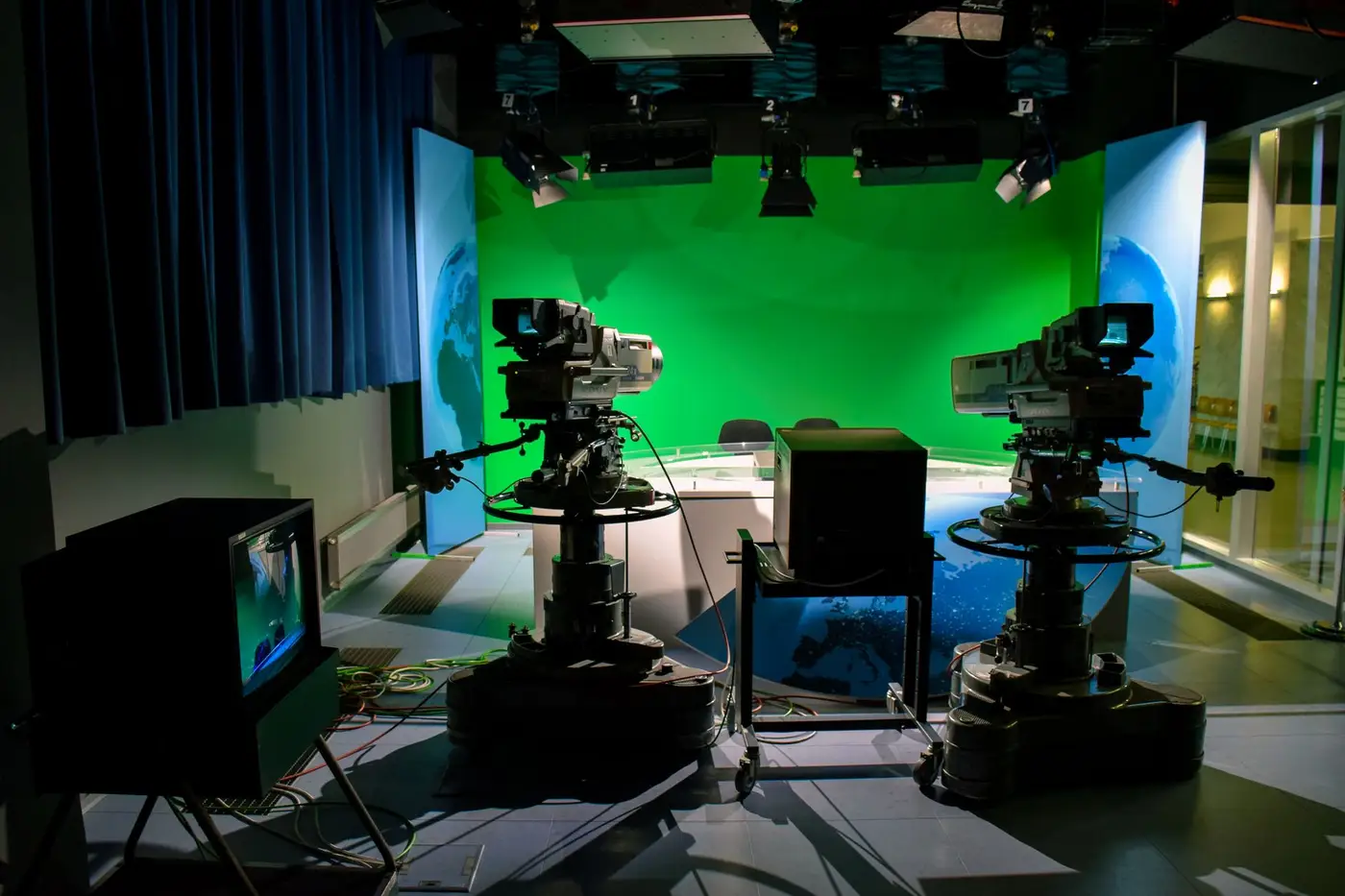

Discover More203
More ways to use VIDIO, grouped by what you're making.
AI Tools for Video Creators
Browse all tools- Commercial video maker
- Social media video maker
- Ecommerce video maker
- Facebook video maker
- Facebook video ad creator
- Facebook story ad maker
- Instagram video maker
- YouTube video maker
- LinkedIn video ad maker
- Fashion marketing video maker
- Fitness marketing video maker
- Restaurant marketing video maker
- Digital menu board maker
- Travel video ad maker
- Beauty marketing video maker
- Amazon video ad maker
- AI motion graphics maker
- AD video maker
- Video intro maker
- SaaS promo video maker
- Product launch video maker
- Product demo video maker
- SaaS product demo video maker
- Software demo video maker
- Website promo video maker
- Auto video flyer maker
- Motion graphics generator
- Text animation maker
- Kinetic typography maker
- Motion graphics software
- Free motion graphics app
- Promo video generator
- Online animation maker
- Animated video maker
- AI teaser video maker
- Explainer video maker
- Documentary video maker
- Video essay maker
- Faceless video maker
- Script to video
- Case study video maker
- Statistics video maker
- Text to video maker
- LinkedIn video maker
- Video resume maker
- Video invitation maker
- Training video maker
- Title card maker
- Starting soon screen maker
- Countdown maker
- Blog to video
- URL to video
- Sports highlight video maker
- Sports action detector
- Sports summary video maker
- Pickleball Highlight Video Maker
- Tennis Highlight Video Maker
- Baseball Highlight Video Maker
- Softball Highlight Video Maker
- Lacrosse Highlight Video Maker
- Wrestling Highlight Video Maker
- Golf Highlight Video Maker
- Cricket Highlight Video Maker
- Rugby Highlight Video Maker
- MMA Highlight Video Maker
- American Football Highlight Video Maker
- Futsal Highlight Video Maker
- Football highlight maker
- Soccer highlight video maker
- Basketball highlight video maker
- Volleyball Highlight Video Maker
- Sports Mixtape Maker
- Ice Hockey Highlight Video Maker
- Sports Recruiting Video Maker
- Soccer Recruiting Video Maker
- Volleyball Recruiting Video Maker
- Baseball Recruiting Video Maker
- Football Recruiting Video Maker
- Wedding Footage Cleaner
- Wedding photos to video maker
- Podcast highlight maker
- Audiogram maker
- Wedding highlight maker
- Event highlight maker
- Real estate highlight maker
- Drone video highlight maker
- Travel highlight maker
- Action video editor
- Scriptless video editor
- Silent video editor
- Anniversary Highlight Video Maker
- Baby First Year Video Maker
- Baby Shower Video Maker
- Birthday Highlight Video Maker
- Bridal Shower Video Maker
- Graduation Highlight Video Maker
- Dance Recital Video Maker
- Pet Tribute and Memorial Video Maker
- School Year Recap Video Maker
- Sports Season Highlight Video Maker
- Vacation Recap Video Maker
- Audio to video converter
- AI Post Production Software
- AI video editor
- Automatically add b-roll to videos
- AI Voiceover for Video
- Beat sync video editor
- Multicam video editor
- Add Sound Effects to Video
- Add Music to Video
- AI Long-Form Video Editor
- AI Video Editing Agent
- Add Transitions to Video
- Edit Video Like a Reference
- News video editor
- Interview video editor
- Split screen video maker
- Video collage maker
Related Tools
2Loved by content creators worldwide.
Review is translated.



I tried your compositing software and I think it is terrific! It works really well in the preview that I did. Blown away, actually.




Such and amazing and fast way to get your video stabilized without the need of having a beefed up PC.


Finally, I can edit like a professional without spending crazy amount of money on software I don't know how to use. Highly recommended for those who are wanting a quick and easy way to remove backgrounds from video.



Make your next upload your best one
Edit it, package it, schedule it and track it with VIDIO. Free to start.

Escape 100 Cops, Win $500,000
- Create


- PublishClick appeal 79
- Creator analyticsviews