#1 Online AI video editor
Holiday or Christmas Memories Video Maker
Create a polished holiday or Christmas gathering highlight video with Vidio's AI-powered editor. Upload your clips, find the best moments fast, and share a beautiful recap in minutes.
Trusted by over 1 Million users worldwide































Made for holiday footage
The gifts, the toasts and the laughs, in one holiday film
Drop in phone clips and JPG or PNG photos from the whole season. VIDIO keeps the moments your family will want to rewatch and sets them to music.
Finds the moments worth keeping
The AI looks through every clip for gift openings, toasts, hugs and big laughs, and leaves the in-between footage out.

 Gift opening3:01
 Toast8:11
 Hug13:21
 Big laugh18:31
Every memory, listed
VIDIO lists each moment it found, with its picks marked. Add the snowball fight back or leave a long dinner out.
 Tree lighting0:42
 Gift opening0:18
 Snowball fight0:26
 Dinner toast0:35
A quick card or a full film
Keep it short for the family chat or let moments run longer, from 30 seconds to three minutes.


Festive, on the beat
Choose a royalty-free track and the cuts fall on its beat, ready to share without copyright trouble.
- Festive jingle
- Cozy acoustic
- Cinematic score


For the TV and the feed
Export 16:9 for the TV or YouTube, 9:16 for Reels, Shorts and TikTok, or square for Instagram.

Soft between scenes
Crossfades, wipes and zooms carry the film from morning gifts to dinner without a hard cut.

Greetings on screen
Animated titles, captions and emoji stickers sit on the moments that deserve them.
 HAPPY HOLIDAYS
Refine by hand
Add the moment you treasure, drop the one you don't
Let AI assemble the first holiday or Christmas gathering edit, then keep, remove, or extend scenes while transitions, captions, and music adapt around every cut.
Tree lighting
0:00 / 8:12Adjusts automatically
- Transitions3
- Captions4
- Music8:12


Recommended by top media and bloggers.





Who it's for
One holiday season, a video for everyone in it
Parents film the mornings, hosts film the party, kids film everything. VIDIO turns the season's clips and photos into the version each person wants.
- 5:00
Clips, one video
Families
The Christmas film you'll rewatch every December
The tree, the big dinner and the kids' faces from the whole season, set to music in a keepsake you'll play again next year.
MP416:9 · 5:00
More for Families 1:10:00
2:00Full recording → short cut
Grandparents and relatives
Christmas morning for family far away
A short recap of the morning, posted where grandparents and cousins will see it the same day.
Facebook16:9 · 2:00
More for Families0:45
9:16
Ready for Reels
Office party hosts
The office party in one Reel
The speeches, the gift swap and the dance floor in a fast vertical recap.
Reels9:16 · 0:45
More for Events and weddings0
Clips in the recap
Friends
Friendsmas, set to a beat
Ugly sweaters and the chaos of the night in a quick clip for the group.
TikTok9:16 · 0:30
More for Events and weddings- 10:00
Clips, one video
Schools and churches
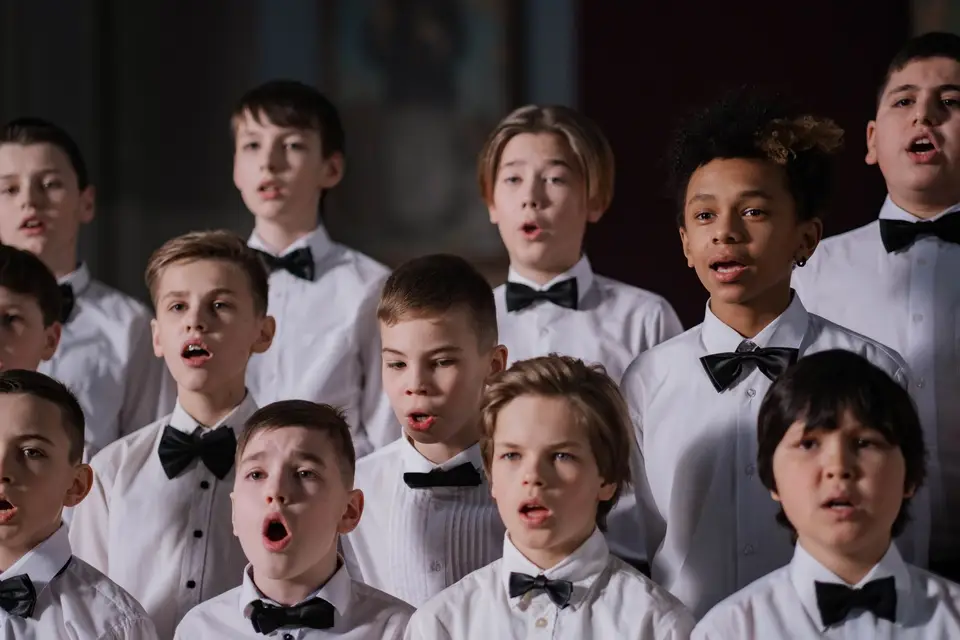
The holiday concert, shared with parents
Every class's performance from the recording, joined into one video for the community.
YouTube16:9 · 10:00
More for Educators




Simple 3 steps to make a holiday or Christmas gathering highlight video
No need to install anything. Upload your clips, describe the holiday or Christmas gathering recap you want, and download a polished video ready to share.
You upload
Drag and drop your video file. Uploading progress will be displayed until it is complete.
 21:32MP4 · 5.3 GB0%
Describe your requirements
Tell the AI what you want in your edit using the prompt box, then send it. Vidio will use your requirements to create the video.
You download
Download your holiday or Christmas gathering highlight video by clicking the Export button.
0%MP41080pMP4
Discover More169
More ways to use VIDIO, grouped by what you're making.
AI Tools for Video Creators
Browse all tools- Wedding Footage Cleaner
- Wedding photos to video maker
- Podcast highlight maker
- Audiogram maker
- Wedding highlight maker
- Event highlight maker
- Real estate highlight maker
- Drone video highlight maker
- Travel highlight maker
- Action video editor
- Scriptless video editor
- Silent video editor
- Anniversary Highlight Video Maker
- Baby First Year Video Maker
- Baby Shower Video Maker
- Birthday Highlight Video Maker
- Bridal Shower Video Maker
- Graduation Highlight Video Maker
- Dance Recital Video Maker
- Pet Tribute and Memorial Video Maker
- School Year Recap Video Maker
- Sports Season Highlight Video Maker
- Vacation Recap Video Maker
- Commercial video maker
- Social media video maker
- Ecommerce video maker
- Facebook video maker
- Facebook video ad creator
- Facebook story ad maker
- Instagram video maker
- YouTube video maker
- LinkedIn video ad maker
- Fashion marketing video maker
- Fitness marketing video maker
- Restaurant marketing video maker
- Digital menu board maker
- Travel video ad maker
- Beauty marketing video maker
- Amazon video ad maker
- AI motion graphics maker
- AD video maker
- Video intro maker
- SaaS promo video maker
- Product launch video maker
- Product demo video maker
- SaaS product demo video maker
- Software demo video maker
- Website promo video maker
- Auto video flyer maker
- Motion graphics generator
- Text animation maker
- Kinetic typography maker
- Motion graphics software
- Free motion graphics app
- Promo video generator
- Online animation maker
- Animated video maker
- AI teaser video maker
- Explainer video maker
- Text to video maker
- LinkedIn video maker
- Video resume maker
- Sports highlight video maker
- Sports action detector
- Sports summary video maker
- Pickleball Highlight Video Maker
- Tennis Highlight Video Maker
- Baseball Highlight Video Maker
- Softball Highlight Video Maker
- Lacrosse Highlight Video Maker
- Wrestling Highlight Video Maker
- Golf Highlight Video Maker
- Cricket Highlight Video Maker
- Rugby Highlight Video Maker
- MMA Highlight Video Maker
- American Football Highlight Video Maker
- Futsal Highlight Video Maker
- Football highlight maker
- Soccer highlight video maker
- Basketball highlight video maker
- Volleyball Highlight Video Maker
- Sports Mixtape Maker
- Ice Hockey Highlight Video Maker
- Sports Recruiting Video Maker
- Soccer Recruiting Video Maker
- Volleyball Recruiting Video Maker
- Baseball Recruiting Video Maker
- Football Recruiting Video Maker
Related Tools
2Related Articles
5Video editing guides and news
- 01Top Tools to Turn Wedding and Family Photos into a Beautiful Slideshow Video
- 02Best Tools for Wedding and Family Slideshow Videos
- 03Best Tools to Create Wedding Photo Slideshow Videos
- 04Top 5 Photos to Video Maker Tools for Stunning Slideshows and Montages
- 05How to Turn Your Family’s Summer Adventures into Shareable Videos
Loved by content creators worldwide.
Review is translated.

Edit like a pro in a minute.
Still not sure? Just upload your video and experience professional editing can be fun.