#1 Online AI video editor
Year-in-Review Video Maker
Create a polished year-in-review highlight video with Vidio's AI-powered editor. Upload your clips, find the best moments fast, and share a beautiful recap in minutes.
Trusted by over 1 Million users worldwide

































Your year, edited
Twelve months of clips and photos, turned into one recap
Drop in a year of phone videos and pictures. VIDIO picks the moments worth remembering, weaves in your photos and cuts it all to music.
The best parts of the year
The AI goes through every clip and picks out trips, birthdays, milestones and the moments everyone laughed at.

 New Year0:25
 Summer trip1:09
 Birthday1:52
 Graduation2:36
Every memory, listed
See each moment VIDIO found with its picks marked. Switch on the quiet one that matters to you.
 Ski weekend0:42
 Beach day0:18
 First steps0:26Holiday dinner0:35
A quick reel or the long version
Set how long each moment lasts and whether the recap runs 30 seconds, one minute or three.


Set to a soundtrack
Pick a royalty-free track or one of your own, and the year cuts on the beat.
- Feel-good pop
- Nostalgic piano
- Cinematic score
Share it anywhere
Export 16:9 for YouTube, 9:16 for Reels, TikTok and Shorts, or 1:1 for Instagram.
Month into month
Crossfades, wipes and zooms carry the recap from one moment to the next, with animated text titles if you want them.

Photos and clips together
Add JPG and PNG photos next to your videos. Stills get gentle motion so they sit naturally in the recap.


Refine by hand
Add the moment that defined your year
Let AI assemble the first year-in-review edit, then keep, remove, or extend scenes while transitions, captions, and music adapt around every cut.
Ski weekend
0:00 / 8:12Adjusts automatically
- Transitions3
- Captions4
- Music8:12
Recommended by top media and bloggers.





Who it's for
A year of clips, a recap for whoever lived it
Families, creators, teams and friends all end the year with phones full of footage. VIDIO turns it into the recap each of them shares.
20:00:00 footage
4:00Long footage → short cut
Families
The family's year in one film
Birthdays, holidays and first steps from twelve months of clips and photos, set to music and ready for New Year's Eve.
MP416:9 · 4:00
More for Families1:00
9:16
Vertical, ready to post
Content creators
Your year on the channel, in one Short
The best moments from a year of uploads, cut fast for your followers.
Shorts9:16 · 1:00
More for YouTubers- 2:30
Sources combined
Companies and teams
A year-end video for the all-hands
Offsites, launches and wins from the year, cut into one video for the team.
LinkedIn16:9 · 2:30
More for Companies and teams 0
Clips joined
Friends
The group's year in one Reel
Trips, nights out and inside jokes merged into a Reel everyone gets tagged in.
Reels9:16 · 0:45
More for Events and weddings- 0%
Dead time cut
Schools and clubs
The school year, wrapped up
Events, matches and performances cut into one recap for the end-of-year evening.
YouTube16:9 · 5:00
More for Educators

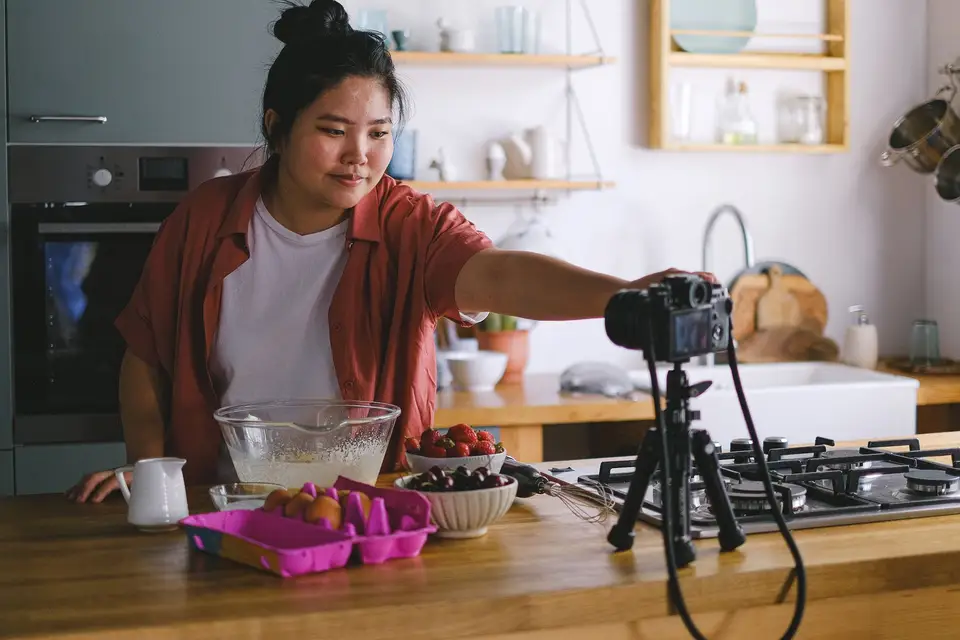



Simple 3 steps to make a year-in-review highlight video
No need to install anything. Upload your clips, describe the year-in-review recap you want, and download a polished video ready to share.
You upload
Drag and drop your video file. Uploading progress will be displayed until it is complete.
 3:01MP4 · 760 MB0%
Describe your requirements
Tell the AI what you want in your edit using the prompt box, then send it. Vidio will use your requirements to create the video.
You download
Download your year-in-review highlight video by clicking the Export button.
0%MP41080pMP4
Discover More169
More ways to use VIDIO, grouped by what you're making.
AI Tools for Video Creators
Browse all tools- Wedding Footage Cleaner
- Wedding photos to video maker
- Podcast highlight maker
- Audiogram maker
- Wedding highlight maker
- Event highlight maker
- Real estate highlight maker
- Drone video highlight maker
- Travel highlight maker
- Action video editor
- Scriptless video editor
- Silent video editor
- Anniversary Highlight Video Maker
- Baby First Year Video Maker
- Baby Shower Video Maker
- Birthday Highlight Video Maker
- Bridal Shower Video Maker
- Graduation Highlight Video Maker
- Dance Recital Video Maker
- Pet Tribute and Memorial Video Maker
- School Year Recap Video Maker
- Sports Season Highlight Video Maker
- Vacation Recap Video Maker
- Commercial video maker
- Social media video maker
- Ecommerce video maker
- Facebook video maker
- Facebook video ad creator
- Facebook story ad maker
- Instagram video maker
- YouTube video maker
- LinkedIn video ad maker
- Fashion marketing video maker
- Fitness marketing video maker
- Restaurant marketing video maker
- Digital menu board maker
- Travel video ad maker
- Beauty marketing video maker
- Amazon video ad maker
- AI motion graphics maker
- AD video maker
- Video intro maker
- SaaS promo video maker
- Product launch video maker
- Product demo video maker
- SaaS product demo video maker
- Software demo video maker
- Website promo video maker
- Auto video flyer maker
- Motion graphics generator
- Text animation maker
- Kinetic typography maker
- Motion graphics software
- Free motion graphics app
- Promo video generator
- Online animation maker
- Animated video maker
- AI teaser video maker
- Explainer video maker
- Text to video maker
- LinkedIn video maker
- Video resume maker
- Sports highlight video maker
- Sports action detector
- Sports summary video maker
- Pickleball Highlight Video Maker
- Tennis Highlight Video Maker
- Baseball Highlight Video Maker
- Softball Highlight Video Maker
- Lacrosse Highlight Video Maker
- Wrestling Highlight Video Maker
- Golf Highlight Video Maker
- Cricket Highlight Video Maker
- Rugby Highlight Video Maker
- MMA Highlight Video Maker
- American Football Highlight Video Maker
- Futsal Highlight Video Maker
- Football highlight maker
- Soccer highlight video maker
- Basketball highlight video maker
- Volleyball Highlight Video Maker
- Sports Mixtape Maker
- Ice Hockey Highlight Video Maker
- Sports Recruiting Video Maker
- Soccer Recruiting Video Maker
- Volleyball Recruiting Video Maker
- Baseball Recruiting Video Maker
- Football Recruiting Video Maker
Related Tools
2Related Articles
5Video editing guides and news
- 01Top 5 Highlight Video Maker Tools for Captivating Clips and Recaps
- 02Top 5 Photos to Video Maker Tools for Stunning Slideshows and Montages
- 03Best Template-Driven Video Editors for Small Business Promotional Videos
- 04Best Tools for Automated Video Highlight Reel Creation
- 05AI-Powered Sweet 16 Highlight Video Editing: Fast Same-Day Reels for Unforgettable Parties
Loved by content creators worldwide.
Review is translated.

Edit like a pro in a minute.
Still not sure? Just upload your video and experience professional editing can be fun.