Cricket Highlight Video Maker
Create stunning cricket highlight reels with our AI-powered Video Maker! Try it online for free and instantly turn your match footage into professional-quality highlights.
Trusted by over 1 Million users worldwide
Adopted by influential creators and valued by users from global organizations










Hours of Editing Done in Minutes with AI
No more manual clipping or timeline dragging. Upload your cricket footage and let our AI handle everything.




Easy 3-Step Process
Create a polished cricket highlight reel in minutes—no editing skills required.
- Upload Your Match Footage
Drag and drop your cricket video. Our uploader supports long recordings, innings breaks, and large file sizes.
- 2. Describe your requirements
Tell the AI what you want in your edit using the prompt box, then send it. Vidio will use your requirements to create the video.
- Download Your Highlights
Get a clean, AI-generated cricket highlight reel ready for social media, coaching, or tournament reviews.
Turn cricket footage into polished highlight reels
Upload full games, practices, or sideline clips and let AI find the plays, reactions, and momentum shifts worth sharing.





Streamlined Editing
Effortless Cricket Highlight Creation
Making cricket highlight videos shouldn't be complicated. Our tool simplifies the process into three quick steps.
- Beginner-Friendly Interface
- No complex editing tools required. Easily create top-quality cricket highlights in your browser.
- Fast AI Processing
- Our AI quickly analyzes overs, innings progression, ball movement, and key moments for rapid highlight generation.
- Smart Cricket Play Detection
- Automatically identifies wickets, sixes, boundaries, yorkers, maidens, run-outs, catches, and brilliant fielding moments.
- Affordable For All Levels
- Perfect for club cricket, school matches, tournaments, or professional reels—without the heavy editing cost.
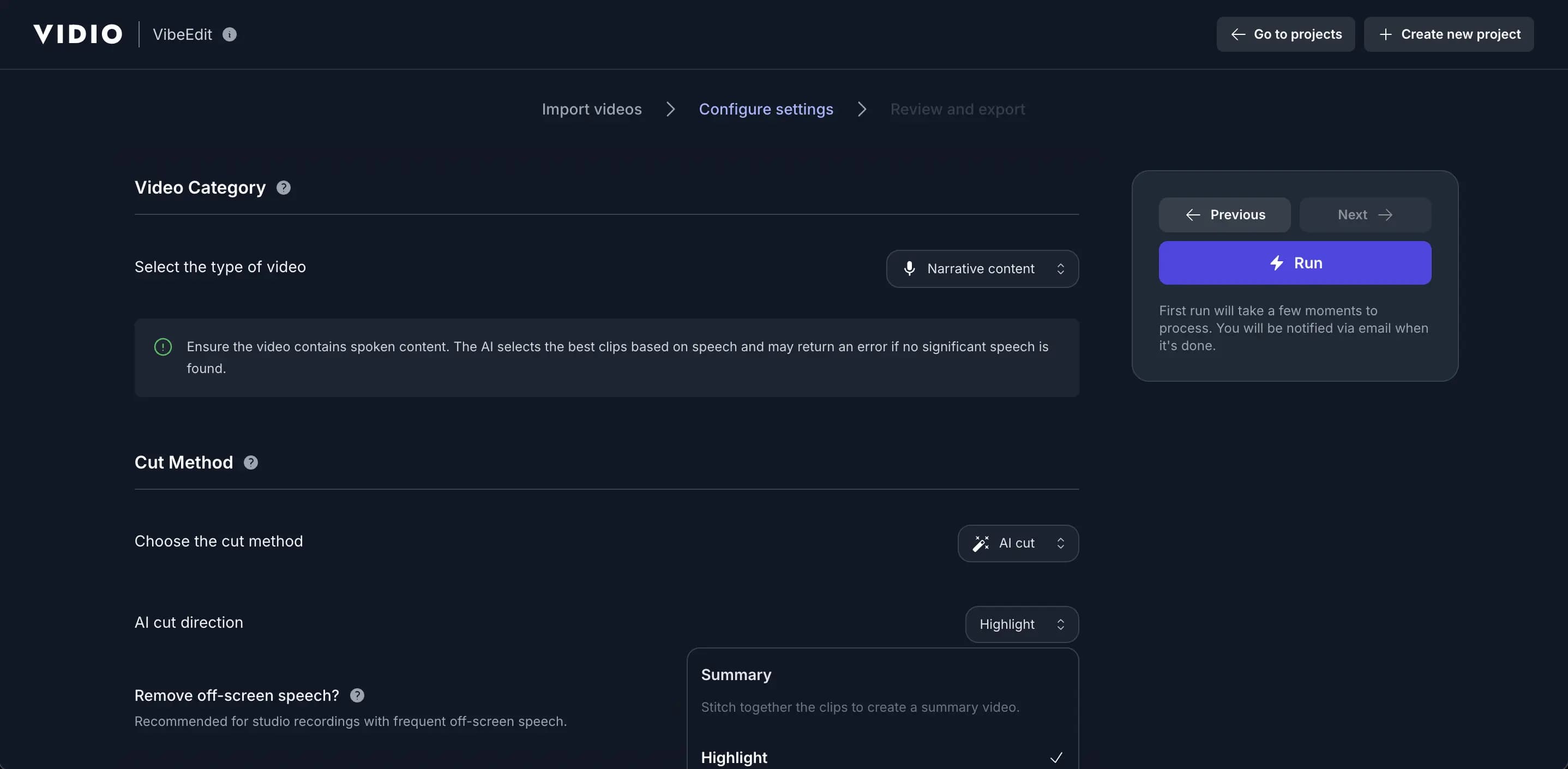
Adapt to Any Pace, Platform, or Style
- Custom music
- Enhance your highlights with customizable background music to set the perfect mood and tone for your video.
- Segment length
- Adjust segment lengths to create fast-paced excitement or slow-paced storytelling, tailored to your style.
- Video resizing
- Effortlessly resize your videos to perfectly fit any social media platform’s requirements.
- Output length
- Set the perfect output length to match your story, audience, or platform needs.
- Transition effects
- Seamlessly enhance your highlights with smooth and dynamic transition effects.
- Segment adjustments
- Get a complete list of segments with AI recommendations highlighted, allowing you to adjust and customize to your preference.
- Auto B-roll search and add
- Automatically find and insert relevant B-roll clips to enrich your story without manual searching.
- Auto caption overlays
- Add stylish text captions and emoji overlays that highlight key moments and keep viewers engaged.
- Beat sync
- Automatically align cuts, transitions, and visual moments to the rhythm of your soundtrack.
- Text animations
- Bring titles, callouts, and social cards to life with a variety of animated text styles.
Perfect for All Cricket Use Cases
Our Cricket Highlight Video Maker supports all types of cricket content—T20, ODI, Test matches, gully cricket, training sessions, and more.









Questions? We Have Answers
- How does the AI create cricket highlight videos automatically?
Our AI analyzes overs, ball-by-ball movement, scoring patterns, wickets, boundaries, partnerships, and fielding events to detect key moments and assemble a professional highlight reel.
- What video formats are supported?
We support MP4, MOV, GIF, WEBM, MPG, MPEG, and more—compatible with most camera systems and phone recordings.
- Are there limitations on file size or video duration?
Yes—videos up to 3GB are supported. For very long matches or higher limits, check our pricing page.
- Is there a free option?
Yes. We offer a free plan with core features. Paid plans unlock longer outputs, faster processing, and advanced AI options.
- Can I choose which highlights to emphasize?
Yes. You can prioritize batting, bowling, fielding, run chases, or a balanced summary—while the AI automates everything else.
Discover More
Related Tools
Related Articles
Edit like a pro in a minute.
Still not sure? Just upload your video and experience professional editing can be fun.