Automatically add captions to your videos
Unlock accessible video content effortlessly with our AI-powered captioning tool. Try it online for free and enhance engagement today!
Trusted by over 1 Million users worldwide
Adopted by influential creators and valued by users from global organizations










Simple 3-Step Process to Add Captions to Your Videos
No lengthy setups or manual efforts. Follow these simple steps to effortlessly add captions to your videos with our tool.
- Upload Your Video
Drag and drop your video file onto our platform. We'll handle the rest.
- 2. Describe your requirements
Tell the AI what you want in your edit using the prompt box, then send it. Vidio will use your requirements to create the video.
- Download Your Captioned Video
Download your captioned video with ease, ready to engage your audience.
Make every video easier to watch with captions
Add clear, timed captions to footage so viewers can follow speech in tutorials, interviews, reels, and social posts.





Effortless Captioning
Simplify Video Captioning with AI
Our AI-powered video captioning tool streamlines the process, providing intuitive features for effortless captioning.
- User-Friendly Interface
- No complex software or expertise required. Easily add captions to your videos with our user-friendly interface.
- Speed and Efficiency
- Experience swift processing and accurate captioning with our AI technology, enhancing productivity.
- Accurate Captioning
- Leveraging state-of-the-art AI algorithms, we ensure precise and reliable captions for your videos.
AI-powered editing
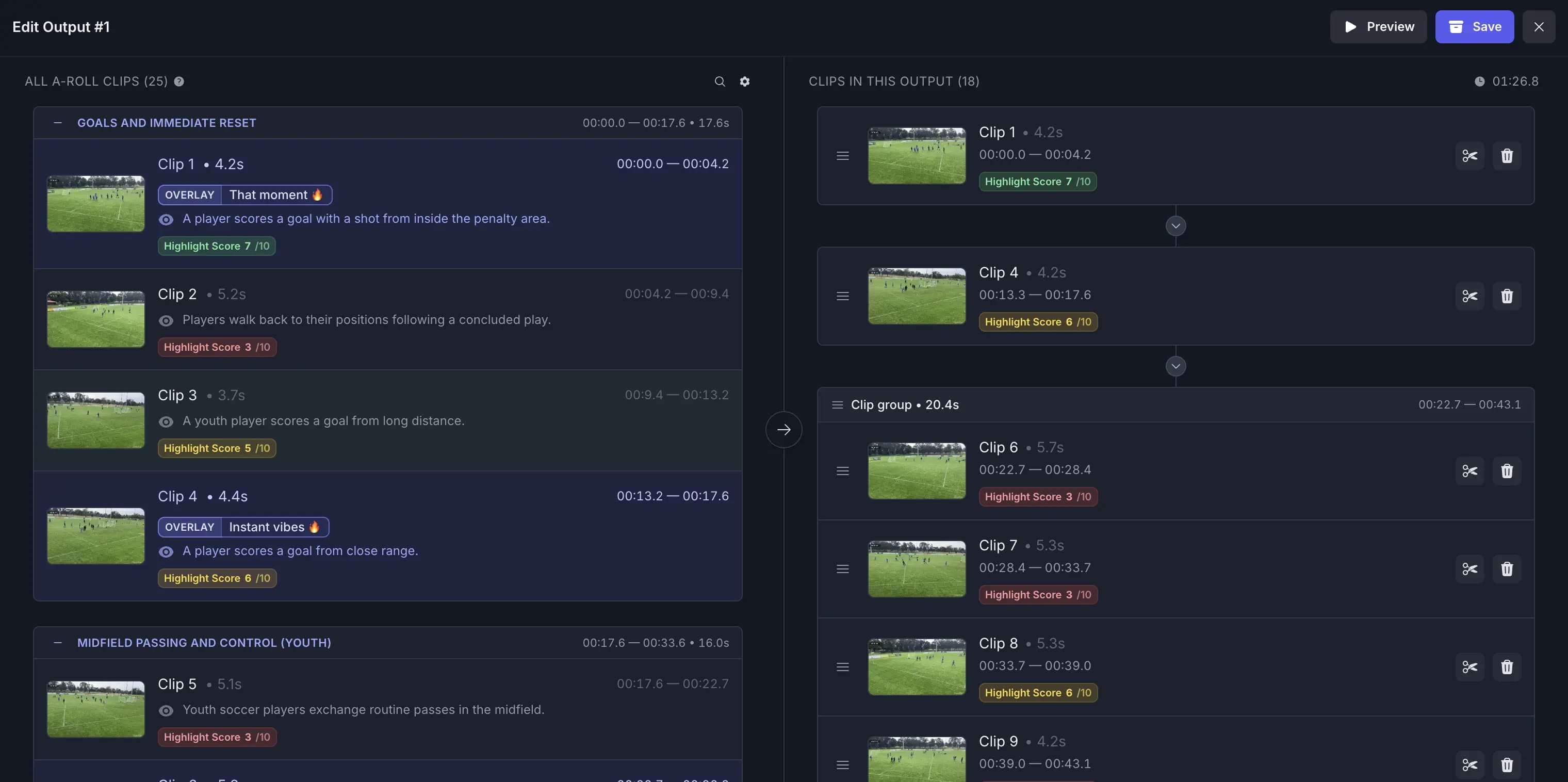
Fine-tune your AI Video Captioning edit
Start with AI-generated cuts and caption timing, then add or remove moments while related transitions, captions, and music stay aligned automatically.
Game-Changing Video Captioning Features
- Export in SRT Format
- Easily export captions in the industry-standard SRT format, compatible with various platforms and software.
- 42-Character Rule Compliance
- Automatically ensure that captions follow the 42-character-per-line standard for optimal readability.
- Dynamic Font Selection
- Select the perfect font for your captions based on your prompt, leveraging a library of thousands of fonts.
- Caption Bouncing Animation
- Add a playful touch to your videos with captions that bounce dynamically for added visual interest.
- Subtitle Word Limit Adjustment
- Automatically adjust the subtitle word count per frame based on the video’s frame size for optimal text placement.
- Auto Language Detection
- Effortlessly detect the spoken language in your video to generate accurate captions in the correct language.
Recommended by top media and bloggers.





Frequently Asked Questions
- How does the AI video captioning tool generate captions for videos?
Our AI video captioning tool utilizes advanced algorithms to analyze video content and generate accurate captions automatically, enhancing accessibility and engagement.
- What video formats are compatible with this captioning tool?
Our tool supports a wide range of video formats, ensuring compatibility with various video files, including MP4, MOV, and more.
- Is there a limit on the video duration or file size for captioning?
Yes, there is a maximum file size limit of 3GB for videos that can be processed. For more information, please visit the pricing page.
- Is there a cost associated with using this captioning tool?
We offer a free option with limited features. Premium options are available for more advanced features and longer videos.
- Can users edit or adjust the generated captions?
Yes, our tool provides flexibility for users to review and edit captions as needed, ensuring accuracy and customization.
Related Tools
Related Articles
Edit like a pro in a minute.
Still not sure? Just upload your video and experience professional editing can be fun.