Automatic video assembler
Transform your video editing with our Automatic Video Assembler! Try this AI-powered tool online for free and create professional videos in just three simple steps!
Trusted by over 1 Million users worldwide
Adopted by influential creators and valued by users from global organizations










Simple 3 steps to assemble videos
No software downloads or complex tutorials needed. Our tool simplifies video assembly into three easy steps.
- 1. You upload
Drag and drop your videos. Uploading progress will be displayed until it is complete.
- 2. Describe your requirements
Tell the AI what you want in your edit using the prompt box, then send it. Vidio will use your requirements to create the video.
- 3. You download
You download your assembled videos on your device by simply clicking the Export button.
Combine separate clips into one seamless video
Upload multiple shots or scenes and let AI help arrange them into a polished video with cleaner pacing and flow.





AI edit
Automatic video assembler
The tool that assembles videos for you
- User-Friendly Interface
- No steep learning curves. Assemble videos with ease using our intuitive interface.
- Lightning-Fast Rendering
- Leveraging cutting-edge technology for speedy processing, so you can share your assembled videos in no time.
- Precision and Quality
- Powered by advanced AI, ensuring accuracy and delivering professional-quality video assembly.
AI-powered editing
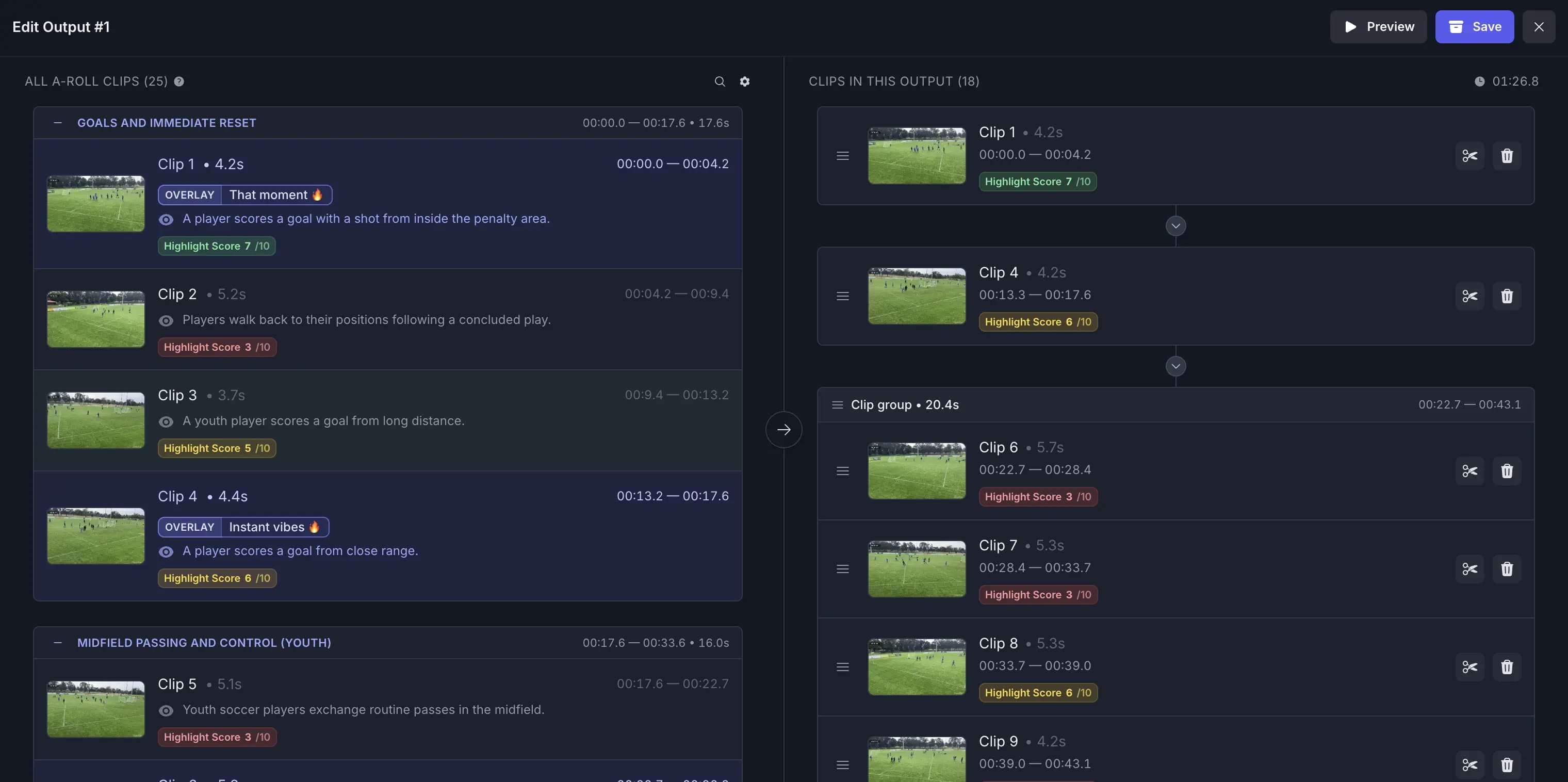
Refine your Automatic Video Assembler sequence after AI assembly
AI builds the first sequence for you, and you can reorder clips, add or remove cuts, and keep transitions, captions, and music synced automatically.
Recommended by top media and bloggers.





Frequently asked questions
- How does this service work?
The automatic video assembler tool uses advanced AI technology to assemble together multiple videos into a single video file. Simply upload your clips, arrange them in the desired order, and the tool will do the rest.
- What types of clips can I use with this tool?
You can use a variety of video formats, including GIF, MP4, MOV, MPG, WEBM, and MPEG. We support these formats to ensure compatibility with a wide range of clip files.
- Is there a limit on the file size or duration of videos I can process?
Yes, there is a maximum file size limit of 3GB for videos that can be processed. For more information, please visit the pricing page.
- Is there a limit on the number of videos that can be assembled together?
Yes, there is a limit of 20 clips that can be assembled together in a single project using our service.
- Can I use this tool for free, or is there a pricing structure?
We offer a free option that allows you to use the service. Please visit the pricing page for detailed pricing information.
- Does it accept image uploads as well as video uploads?
You can use a variety of image and video formats, including JPG, PNG, GIF, MP4, MOV, MPG, WEBM, and MPEG. We support these formats to ensure compatibility with a wide range of image and video files.
Related Tools
Edit like a pro in a minute.
Still not sure? Just upload your video and experience professional editing can be fun.