Auto background defocus
Our AI-powered rotoscoping tool defocuses video background instantly. Do it now online.
Trusted by over 1 Million users worldwide

































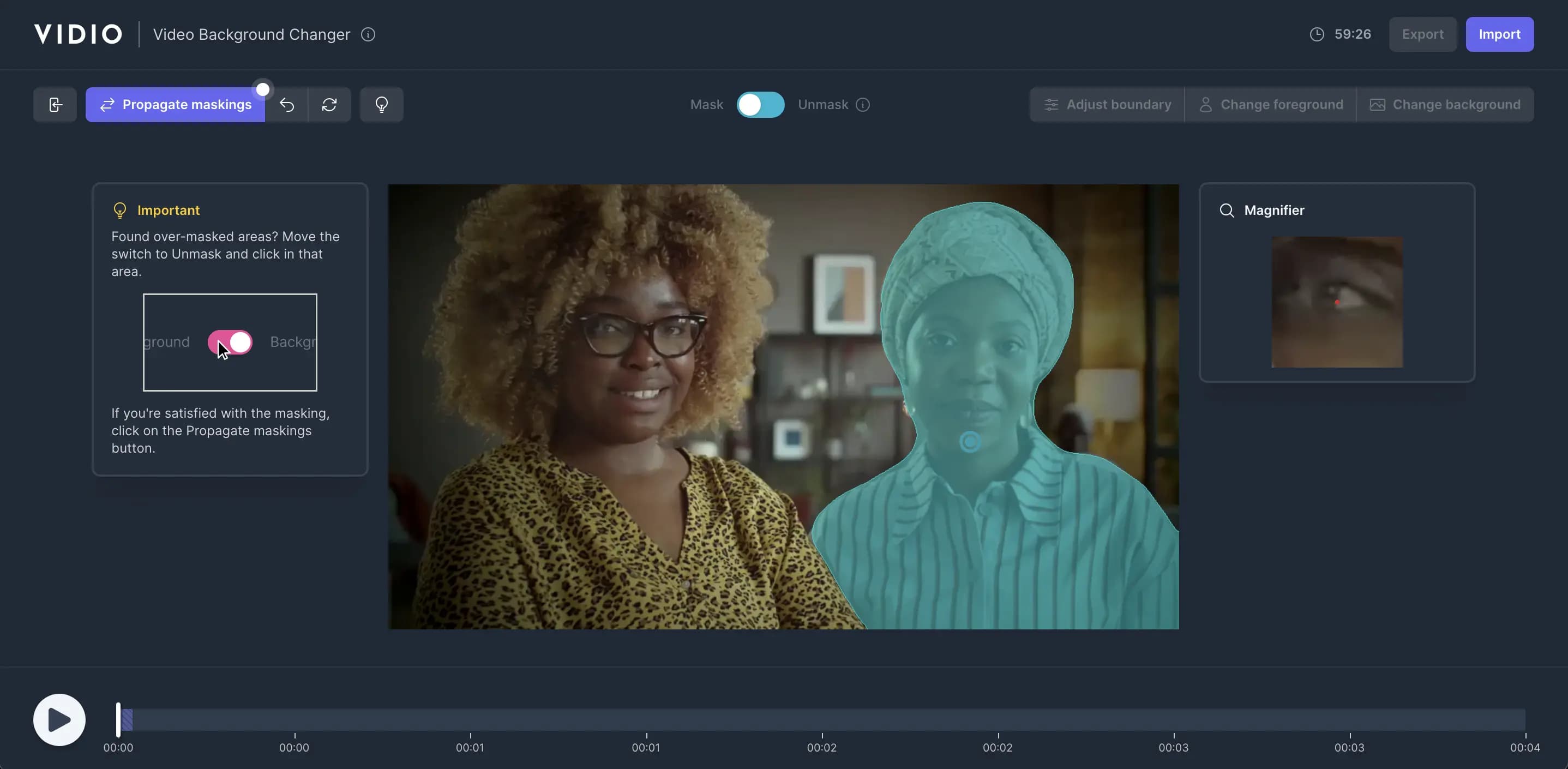
Simple 3 steps to defocus your video backgrounds
No need to install anything on your device. Nothing to learn to use our tool. We need just a few clicks from you. We simply do the job in easiest way.
- 1. Click the foreground object to keep
Once the upload is complete, you click inside objects to keep in your video and we apply state-of-the-art AI algorithms to clearly isolate the object.
- 2. Click the Propagate button
By clicking the Propagate button, the resulting mask will be applied across all frames in your video, making the entire video masked.
- 3. Click the Change Background
Click the 'Change Background' button and select 'Blur effect'.
Click and blur
Defocusing video background made simple for you.
The tool defocusing video background doesn't need a hundred features. It just needs three things to get what you want.
- Easy to use.
- No installations, nothing to learn to use our tool. Video backgrounds are defocused with just a few clicks.
- Fast.
- We leverage GPU infrastrature and the cutting-edge web tech to deliver the outcome in most efficient ways.
- Accurate.
- Powered by state-of-the-art AI algorithms, we deliver the quality output that you won't get elsewhere.
Empower Your Videos with Advanced Rotoscoping Tools
- 1. 4K Export
- Deliver stunning visuals with high-resolution 4K exports, perfect for professional-grade projects.
- 2. Transparent Background Export
- Export your scenes with a transparent background in ProRes or GIF format for seamless integration into other media.
- 3. Automatic Background Remover
- Instantly remove backgrounds from your videos using advanced AI-powered precision tools.
- 4. Click-Based Foreground Extraction
- Easily isolate foreground objects with just a few clicks, saving time on complex masking tasks.
- 5. Background Replacement
- Replace backgrounds effortlessly with custom images or a selection of preset designs to fit your creative vision.
- 6. Defocus Foreground Objects for Privacy
- Protect sensitive information by blurring selected objects in the foreground with adjustable levels of discretion.
- 7. Defocus Background for Foreground Focus
- Direct audience attention by blurring the background, emphasizing your subject in every frame.
- 8. Object Highlighting with Background Filters
- Make your subject stand out by applying subtle or dramatic filters to the background for a captivating effect.
Recommended by top media and bloggers.





Discover More
Related Tools
Related Articles
Make your next upload your best one
Edit it, package it, schedule it and track it with VIDIO. Free to start.
Free to start. No credit card needed.

$456,000 Squid Game In Real Life!
- Create


- PublishClick appeal 81
- Creator analyticsviews