AI news video editing
News Video Editor
Edit news videos online with AI. Upload your field footage and interviews, and one request gives you a web video, a version without the interview and a Reel, with your logo on a news-style headline, speaker name boxes and subtitles. Try it free.
Trusted by over 1 Million users worldwide
 Web video
Council approves the new budget
 Without the interview
Council approves the new budget
ReelCouncil approves the new budget

































Make a news video in 3 steps
No timeline and no templates. Upload the shoot, say which versions you need, download.
Upload the shoot
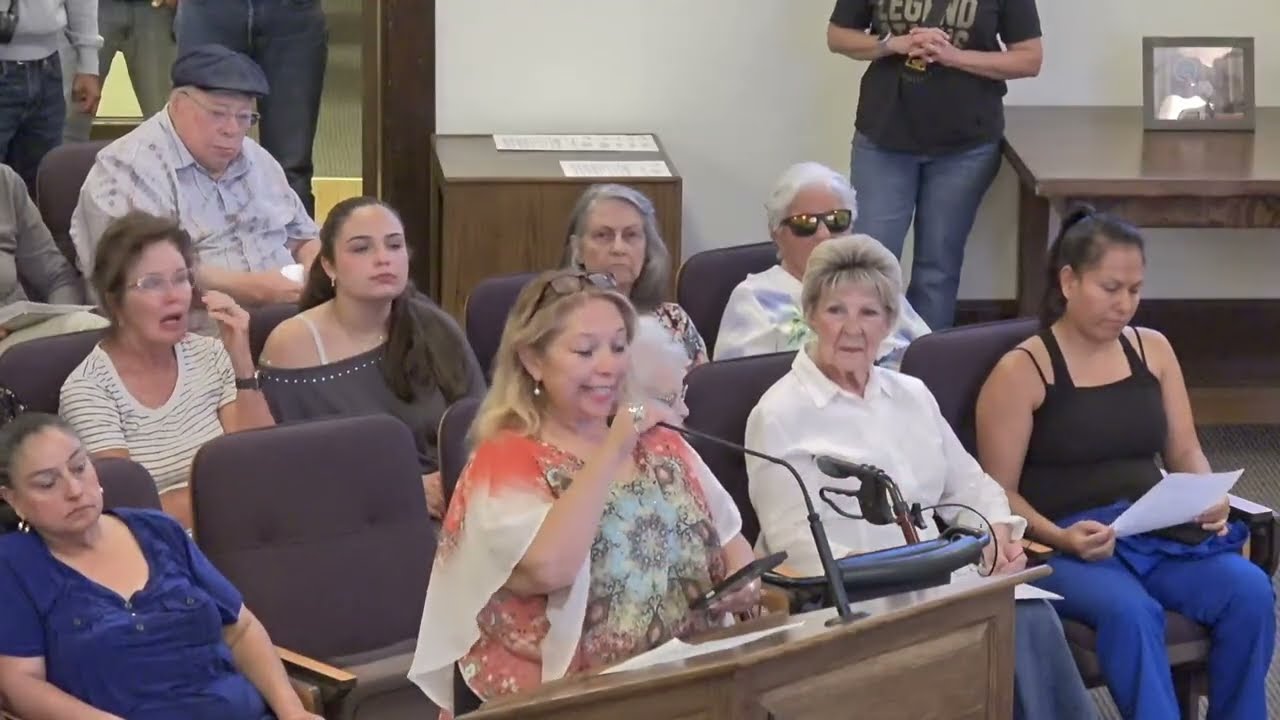
Drop in the raw clips from the field: the interview, the reporter's footage and any photos, straight from the camera or phone.
2:03:16MP4 · 30.3 GB0%Ask for your versions
For example: "a 60-second 16:9 web video with the interview, the same without the interview, and a 30-second Reel, in the News look with our logo".
Web videoCouncil approves the new budget
Without the interviewCouncil approves the new budget
ReelCouncil approves the new budget
Check and publish
Fix a name or a subtitle in the editor or the chat, then download each version as an MP4 for your site and social accounts.
0%MP41080pMP4
Built for newsrooms
From raw footage to the web and social, in your style
Upload the shoot once. VIDIO cuts the story, names the speakers, subtitles every answer and makes each version you publish.
Web video and Reel from one request
Up to three videos from the same footage, each in its own shape and length. One can leave out the interview.
Web videoCouncil approves the new budget
Without the interviewCouncil approves the new budget
ReelCouncil approves the new budget
Your logo on a news headline
The News look sets a bold white serif headline at the lower left with your logo above it, the way news sites title their videos.
Council approves the new budget
Name boxes and boxed subtitles
Each speaker gets a name and role box when they first speak, and every answer is subtitled, never the reporter's questions.

Maria Lopez
City Treasurer
The budget adds twelve new teachers
Your footage over the answers
VIDIO cuts to your own clips during an answer while the voice and subtitles carry on, then back to the speaker.
The budget adds twelve new teachers
Paced like your published videos
On Business and Studio, link one of your videos and VIDIO follows its length, pacing and cuts.
Story lines when no one speaks
A version without the interview tells the story in short lines over the footage, from the facts you give.
City Hall, Tuesday night
Recommended by top media and bloggers.





Who it's for
For every desk that publishes video
Local newsrooms, broadcasters, reporters and press teams that turn one shoot into several videos.
0
Videos from one request
Local newsrooms
One shoot, web video and Reel
The interview and street footage as a 16:9 web video and a 9:16 Reel from one request.
Instagram9:16 · 0:30
More for Journalists and news- FootageStory linesInterview
What this version shows
Reporters
A story without the talking head
The same footage told in short on-screen lines, for viewers who scroll with the sound off.
Facebook16:9 · 0:45
More for Journalists and news 4:00
1:30Broadcast → web cut
Broadcasters
Web cuts of on-air stories
A TV package re-cut for the site and social, subtitled for the muted feed.
YouTube16:9 · 1:30
More for Journalists and news0people
Named on screen
Video desks
Every speaker named and subtitled
Name boxes on each interviewee and boxed subtitles on every answer, ready to publish.
X16:9 · 1:00
More for Journalists and news0:45
9:16
Ready to post
Press offices
Briefings as clips for every channel
A press briefing cut into a web video and short vertical clips with the speaker's name on screen.
LinkedIn16:9 · 2:00
More for Companies and teams
Discover More196
More ways to use VIDIO, grouped by what you're making.
AI Tools for Video Creators
Browse all tools- AI Post Production Software
- AI video editor
- Automatically add b-roll to videos
- AI Voiceover for Video
- Beat sync video editor
- Multicam video editor
- Add Sound Effects to Video
- Add Music to Video
- AI Long-Form Video Editor
- AI Video Editing Agent
- Add Transitions to Video
- Edit Video Like a Reference
- News video editor
- Interview video editor
- Split screen video maker
- Video collage maker
- Commercial video maker
- Social media video maker
- Ecommerce video maker
- Facebook video maker
- Facebook video ad creator
- Facebook story ad maker
- Instagram video maker
- YouTube video maker
- LinkedIn video ad maker
- Fashion marketing video maker
- Fitness marketing video maker
- Restaurant marketing video maker
- Digital menu board maker
- Travel video ad maker
- Beauty marketing video maker
- Amazon video ad maker
- AI motion graphics maker
- AD video maker
- Video intro maker
- SaaS promo video maker
- Product launch video maker
- Product demo video maker
- SaaS product demo video maker
- Software demo video maker
- Website promo video maker
- Auto video flyer maker
- Motion graphics generator
- Text animation maker
- Kinetic typography maker
- Motion graphics software
- Free motion graphics app
- Promo video generator
- Online animation maker
- Animated video maker
- AI teaser video maker
- Explainer video maker
- Text to video maker
- LinkedIn video maker
- Video resume maker
- Video invitation maker
- Training video maker
- Title card maker
- Starting soon screen maker
- Blog to video
- URL to video
- Sports highlight video maker
- Sports action detector
- Sports summary video maker
- Pickleball Highlight Video Maker
- Tennis Highlight Video Maker
- Baseball Highlight Video Maker
- Softball Highlight Video Maker
- Lacrosse Highlight Video Maker
- Wrestling Highlight Video Maker
- Golf Highlight Video Maker
- Cricket Highlight Video Maker
- Rugby Highlight Video Maker
- MMA Highlight Video Maker
- American Football Highlight Video Maker
- Futsal Highlight Video Maker
- Football highlight maker
- Soccer highlight video maker
- Basketball highlight video maker
- Volleyball Highlight Video Maker
- Sports Mixtape Maker
- Ice Hockey Highlight Video Maker
- Sports Recruiting Video Maker
- Soccer Recruiting Video Maker
- Volleyball Recruiting Video Maker
- Baseball Recruiting Video Maker
- Football Recruiting Video Maker
- Wedding Footage Cleaner
- Wedding photos to video maker
- Podcast highlight maker
- Audiogram maker
- Wedding highlight maker
- Event highlight maker
- Real estate highlight maker
- Drone video highlight maker
- Travel highlight maker
- Action video editor
- Scriptless video editor
- Silent video editor
- Anniversary Highlight Video Maker
- Baby First Year Video Maker
- Baby Shower Video Maker
- Birthday Highlight Video Maker
- Bridal Shower Video Maker
- Graduation Highlight Video Maker
- Dance Recital Video Maker
- Pet Tribute and Memorial Video Maker
- School Year Recap Video Maker
- Sports Season Highlight Video Maker
- Vacation Recap Video Maker
- Audio to video converter
Related Tools
2Loved by content creators worldwide.



I tried your compositing software and I think it is terrific! It works really well in the preview that I did. Blown away, actually.





Such and amazing and fast way to get your video stabilized without the need of having a beefed up PC.


Finally, I can edit like a professional without spending crazy amount of money on software I don't know how to use. Highly recommended for those who are wanting a quick and easy way to remove backgrounds from video.




Make your next upload your best one
Edit it, package it, schedule it and track it with VIDIO. Free to start.

Escape 100 Cops, Win $500,000
- Create


- PublishClick appeal 79
- Creator analyticsviews